

The Stage Series Backlit Ditch Light Kit for the 2024+ Toyota Tacoma and 2025+ 4Runner mounts two C2 or SS3 backlit pods above the hood using CAD-designed brackets that install at factory mounting points. No cutting or drilling required — the low-profile design minimizes glare and doesn't interfere with hood operation. Here's the full walkthrough.
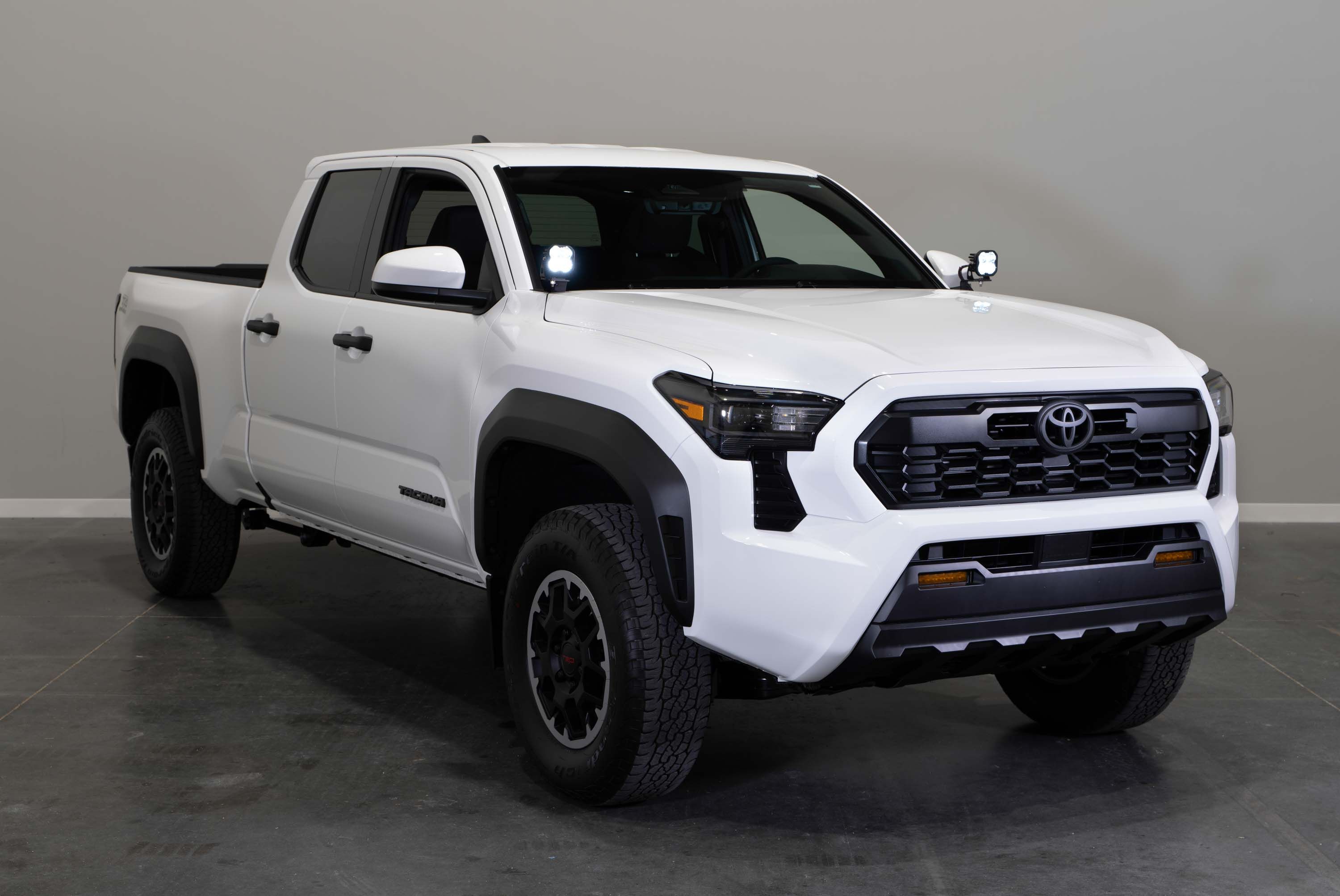
Table of Contents
- Installation Video
- Tools Required
- Mounting Instructions
- Wiring Instructions
- Questions About the Install?
- Shop Tacoma and 4Runner Lighting at Ess K Customs
Installation Video
Tools Required
- Masking tape
- 12mm deep socket
- 13mm wrench
- 3/8" wrench
- 5/32" Allen wrench
- Zip ties
Mounting Instructions
Step 1 — Mark the Hood Hinge
Open the hood and mark the location of the hood hinges with tape. Tape the edges of the hood to prevent scratching during installation.
Step 2 — Loosen the Factory Hood Bolts
Loosen the two 12mm bolts securing the hood hinge while holding the back of the hood.
Step 3 — Install the Ditch Light Bracket
Place the ditch light bracket under the hinge and align the holes. Adjust the bracket to leave a slight gap at the back of the hood before tightening. Secure the bracket and hood hinge with the original bolts, making sure the hinge lines up with your tape marks. Ensure the windshield washer tube sits underneath the bracket and isn't pinched.
Step 4 — Assemble the Stage Series Pods
Assemble your C2 or SS3 LED pods per the included assembly guide for your specific pod type.
Step 5 — Mount the Pods
Place the assembled pod on top of the ditch light bracket. Feed the carriage bolt through the universal bracket and ditch light bracket, followed by the washer, lock washer, and nut underneath. Tighten hand-tight to allow for adjustment later. Repeat on the other side.
Wiring Instructions
Step 6 — Connect Power
Locate the battery. Loosen the nut on the negative terminal with a 12mm socket and slide the black wire underneath, then secure. Repeat for the positive terminal with the red wire.
Step 7 — Route the DT Connectors
Route one DT connector to the passenger's side pod. Route the other DT connector across the engine bay to the driver's side pod, keeping wires away from hot or moving parts.
Step 8 — Route the Toggle Switch
Route the switch through the firewall into the cab and mount at the location of your choice. If you have an aftermarket switch bank, you can disconnect the included toggle and plug in the auxiliary adaptors instead.
Step 9 — Test and Aim
Plug the DT connectors into both pods and test using the included toggle. Verify that both the backlight and main beam illuminate. Secure any loose wiring with the included zip ties. Rotate the pods left and right as desired and tighten with a 13mm wrench. Tilt up and down and secure with a 3/8" wrench and 5/32" Allen. The install is complete.
Questions About the Install?
If you run into any issues during the installation, contact Ess K Customs — as an authorized Diode Dynamics dealer, we're here to help.
Shop Tacoma and 4Runner Lighting at Ess K Customs
Looking for lighting upgrades for your Tacoma or 4Runner? As an authorized Diode Dynamics dealer, Ess K Customs carries genuine products with full manufacturer warranty.
Browse Tacoma Ditch Light Kits at Ess K Customs →
This install guide applies to Diode Dynamics SKUs: DD7933P, DD7934, DD7935, DD7936, DD7937, DD7938, DD7939, DD7940, DD7941