

The Pro Series RGBW/RGBWA DRL LED Boards for the 2018-2023 Ford Mustang convert the factory LED DRL "bars" inside the headlight into full multicolor functionality with a sequential amber turn signal. These boards are a direct replacement for the factory LED panels — pair with a Diode Dynamics RGBW controller (sold separately) for complete color control. Here's the full walkthrough.
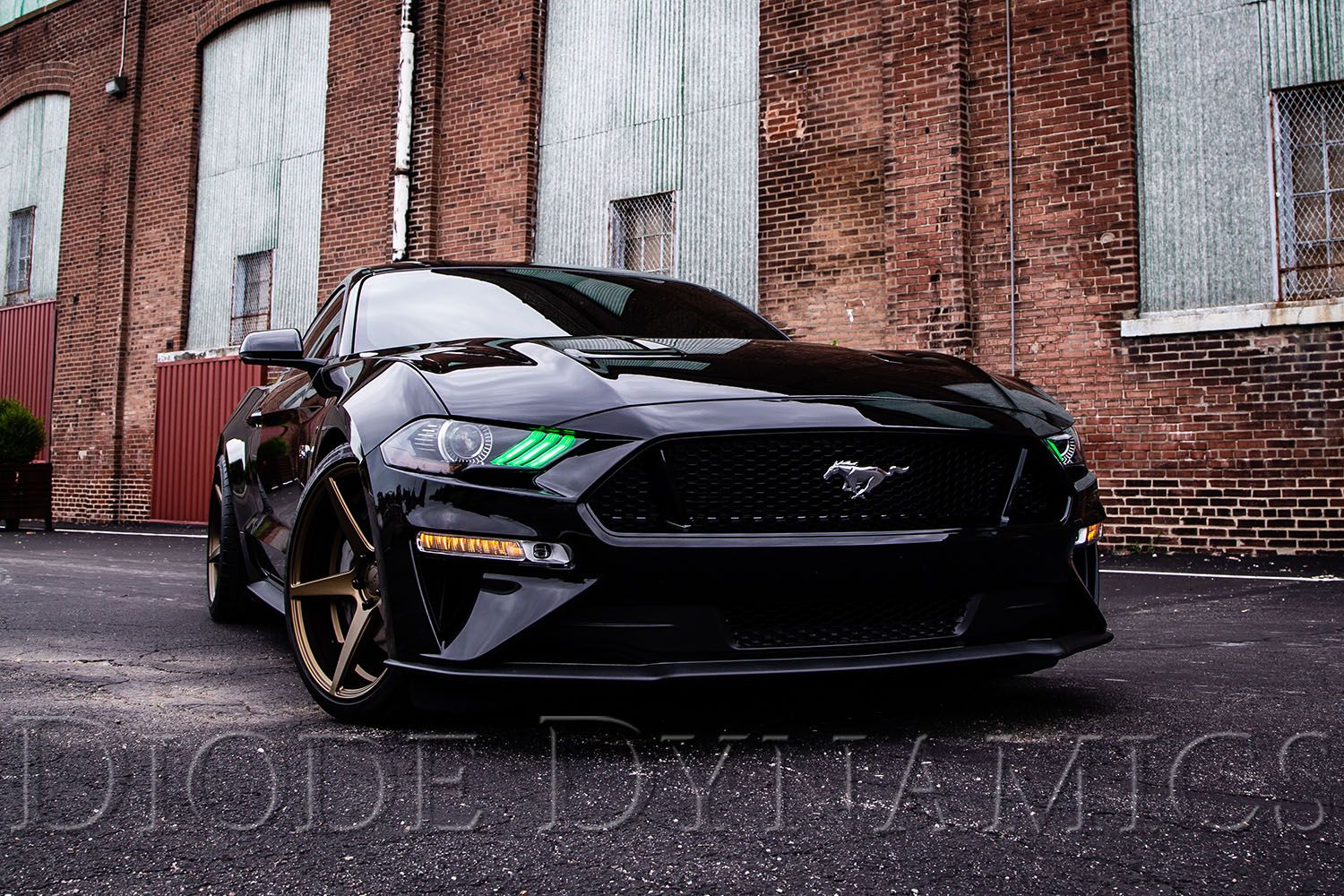
Table of Contents
- Installation Video
- Tools Required
- Mounting Instructions
- Wiring Instructions
- Questions About the Install?
- Shop Mustang Lighting at Ess K Customs
Important: Headlights must be opened before proceeding with installation. Professional installation is strongly recommended.
Installation Video
Tools Required
- Cutting pliers
- 5-minute epoxy
- Phillips screwdriver
Mounting Instructions
Step 1 — Open the Headlight and Remove the Bezel
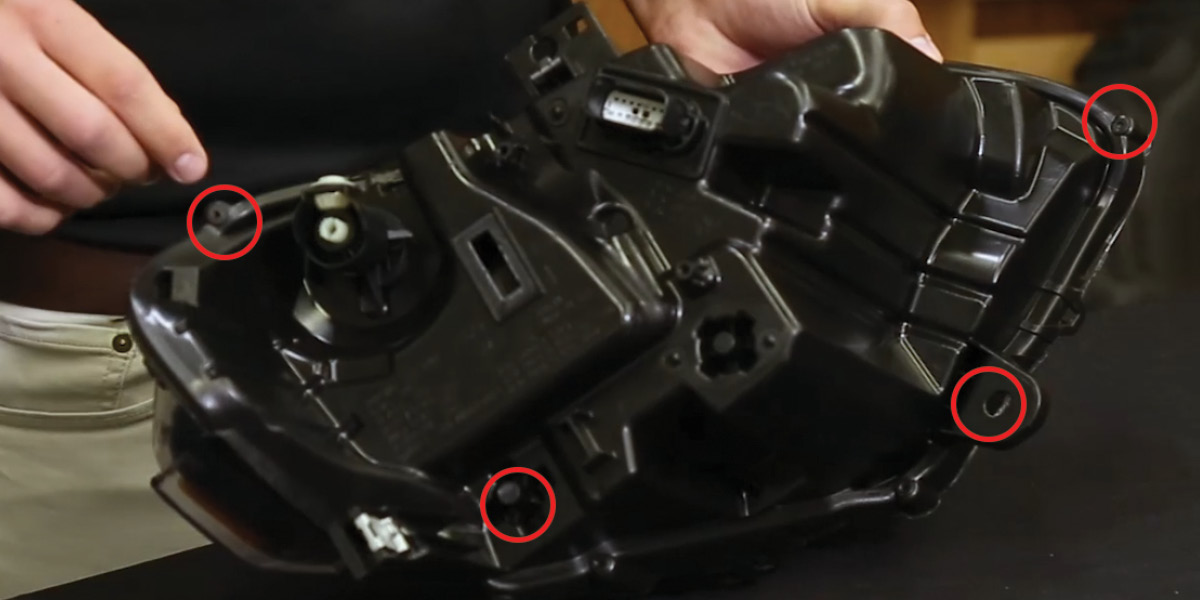
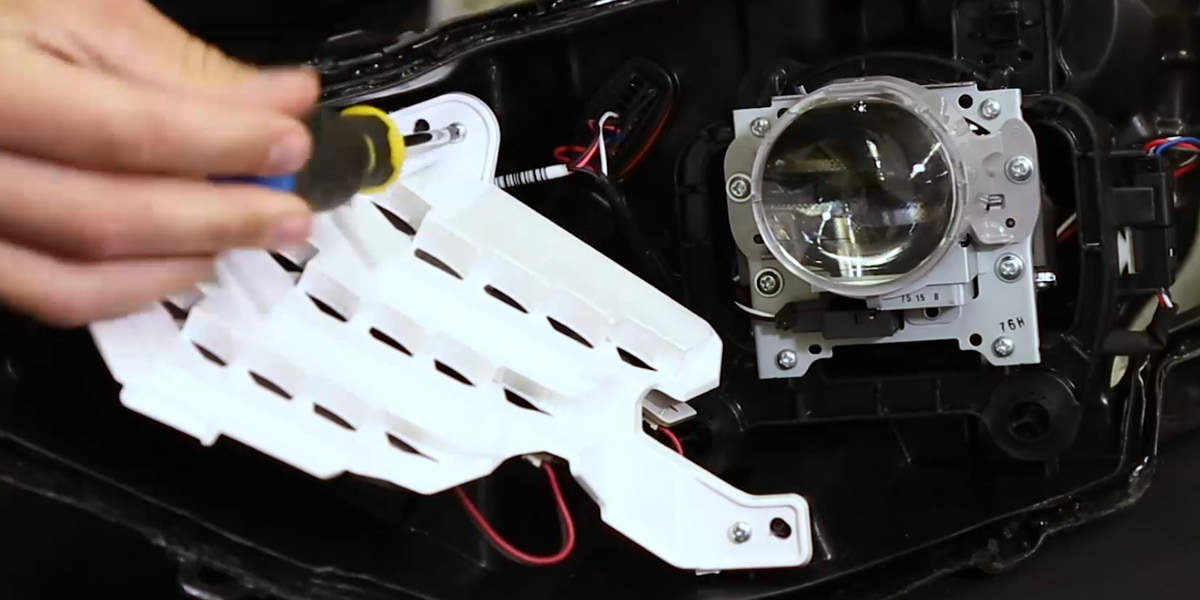
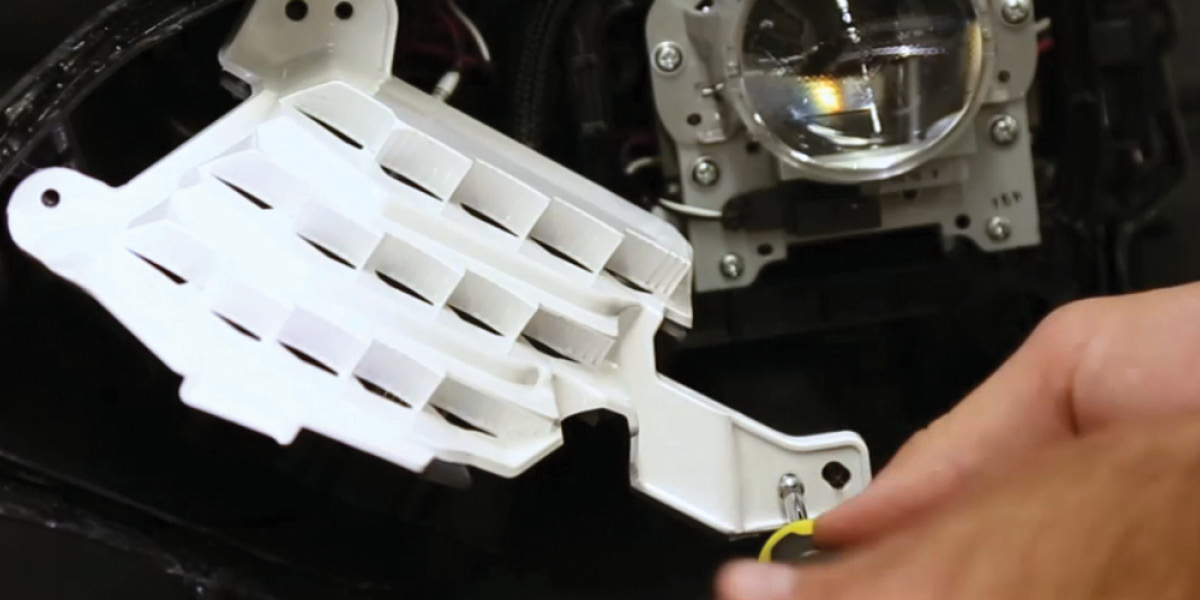
Remove the four screws holding the back of the headlight housing to the lens. Set the lens aside on a soft surface. Remove the three Phillips screws holding the white DRL bezel in place and pull the bezel away from the housing. Unplug the factory board connector and tuck it away — it won't be reused.
Note: If installing on an EU/AU spec Mustang, skip the connector removal step.
Step 2 — Swap the LED Boards
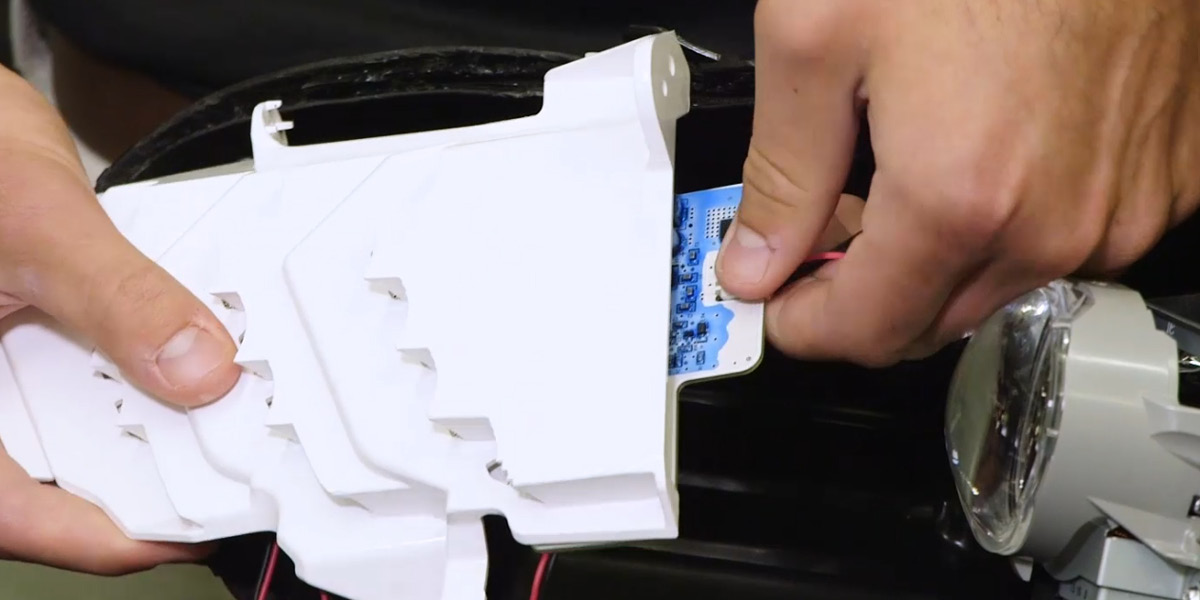
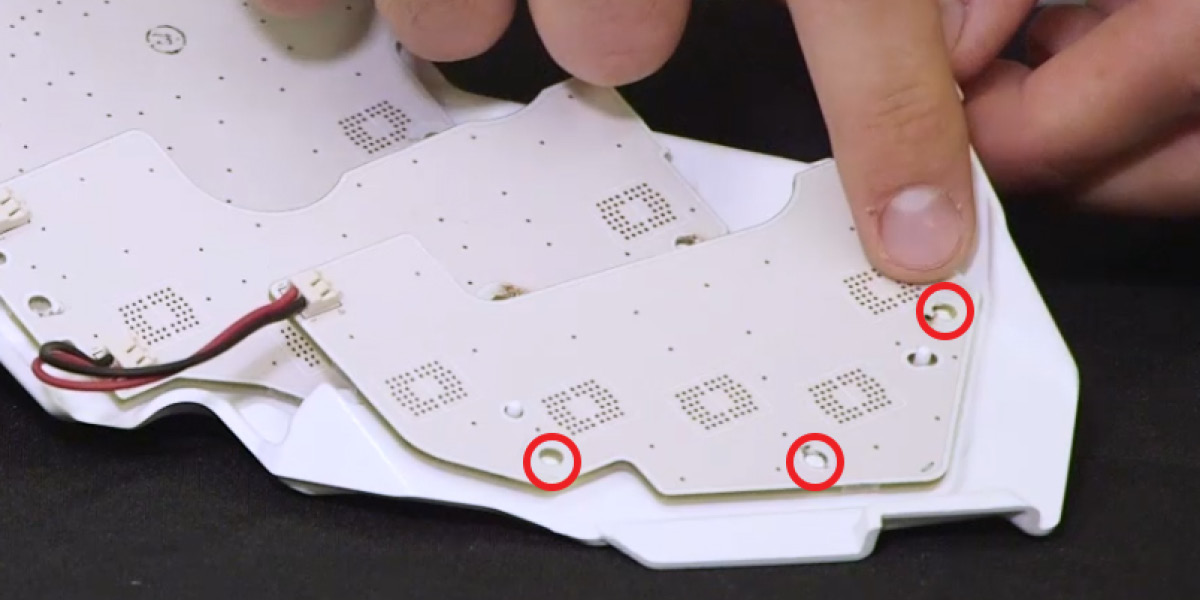
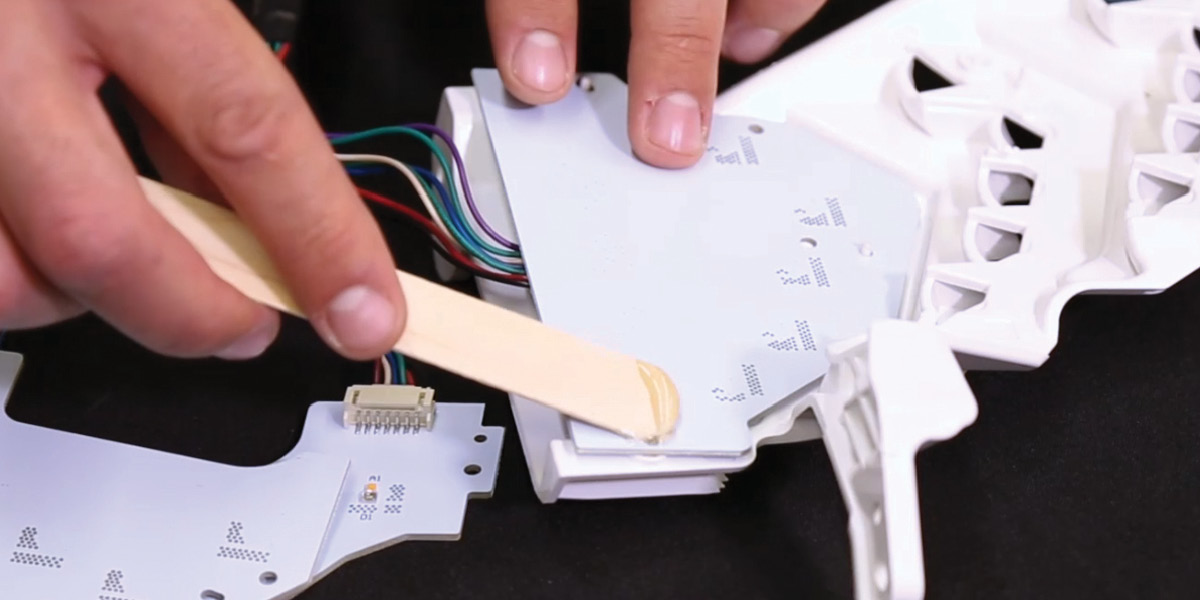
Using cutting pliers, remove the three plastic rivets holding each LED board to the bezel and remove the factory boards. Be careful not to remove the two mounting tabs — they're needed to align the new boards. Place the new Diode Dynamics LED boards into position (all holes should align perfectly). Secure with epoxy applied where the plastic rivets were removed, creating a bond between the rivet mounting point and the board. Start with the board labeled "3" and work forward.
Step 3 — Reassemble and Route Wiring
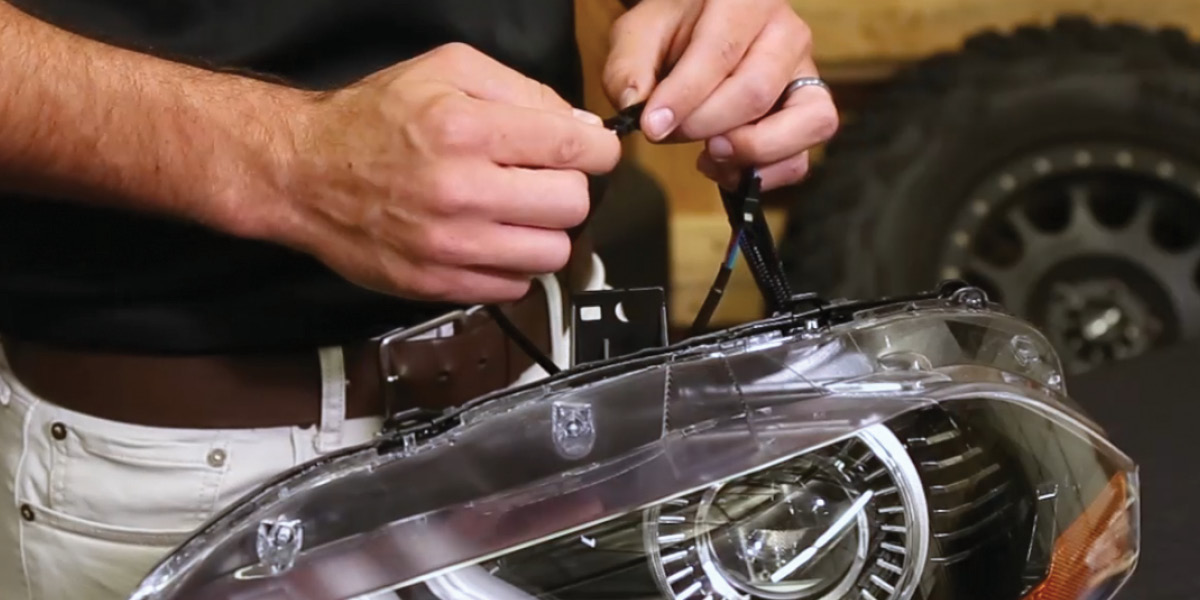
Once the epoxy is fully set, reinstall the white bezel to the headlight housing using the original screws. Route the wiring out of the headlight, sealing any holes you create.
Wiring Instructions
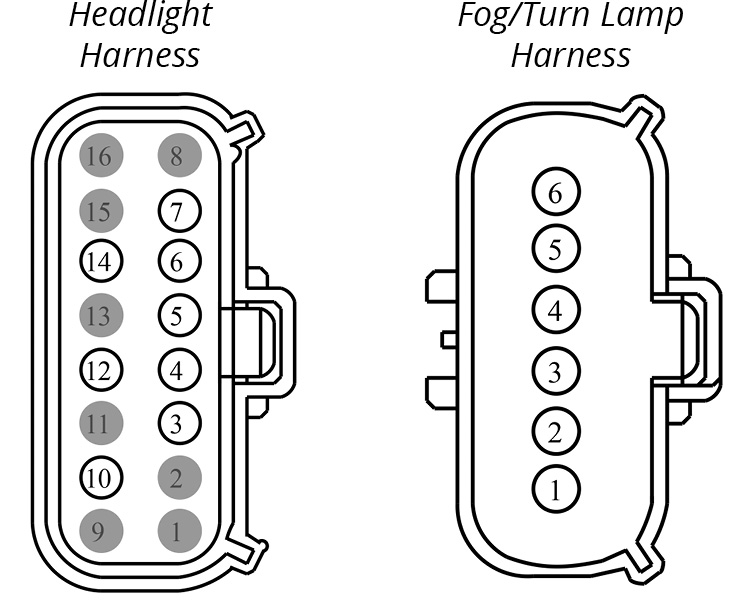
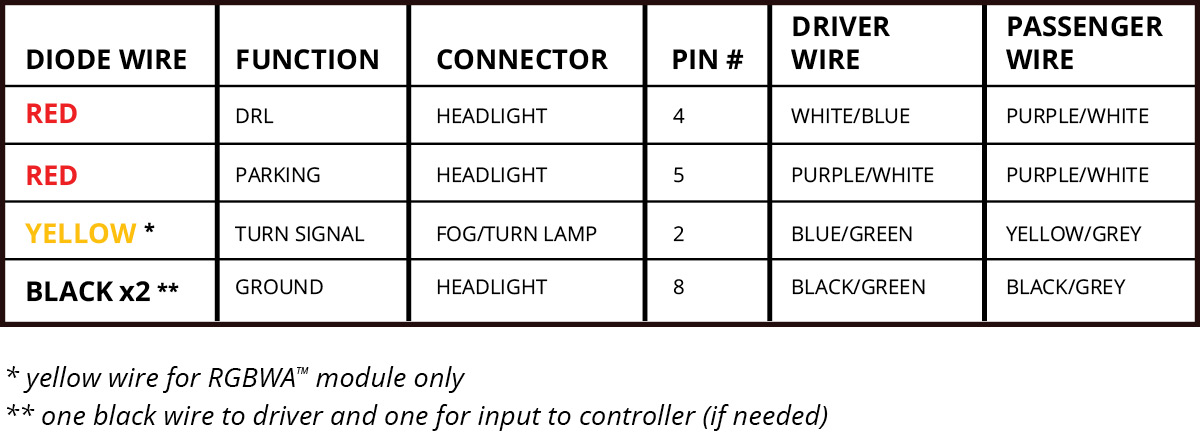
Step 4 — Connect the Driver and Controller
Connect the LED board to the driver. Using the JST-to-M8 adapter wire included with the Diode Dynamics RGBW controller (sold separately), connect the driver to the controller.
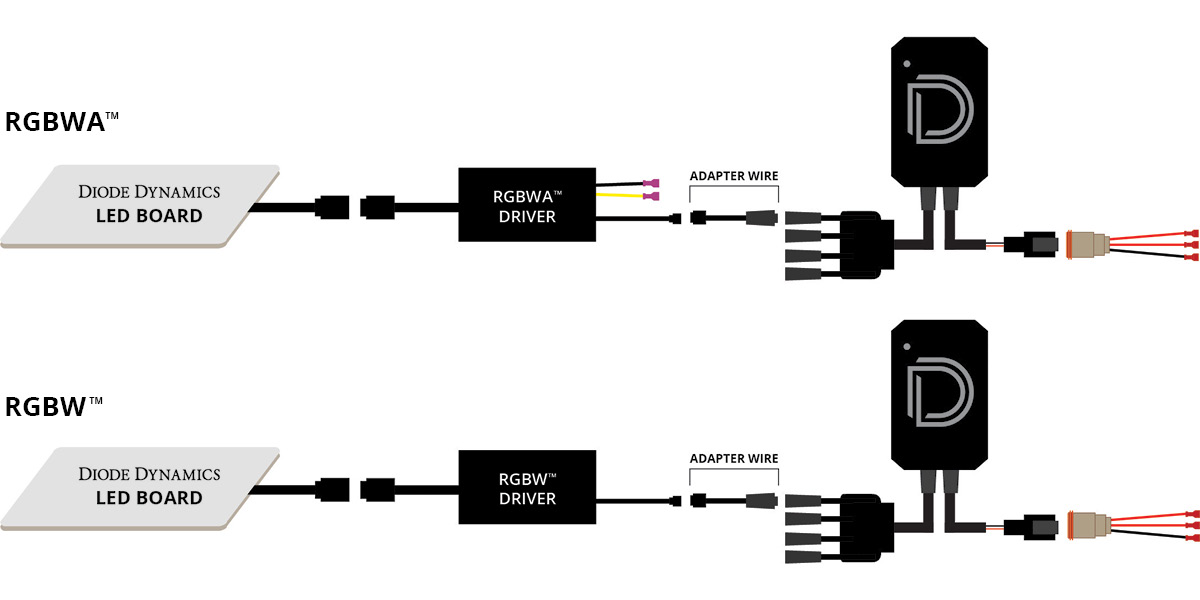
Important: Do NOT plug the LED panel directly into the controller without the driver. The LEDs must be connected to the driver first to control power.
Step 5 — Connect Power and Complete
Connect the RGBW controller to 12V power and ground — this dictates when the panels turn on. Mount drivers and controller outside the headlight for serviceability, away from the engine block. Test thoroughly, reseal the headlight, and reinstall onto the vehicle. The install is complete.
Questions About the Install?
If you run into any issues during the installation, contact Ess K Customs — as an authorized Diode Dynamics dealer, we're here to help.
Shop Mustang Lighting at Ess K Customs
Looking for lighting upgrades for your 2018-2023 Ford Mustang? As an authorized Diode Dynamics dealer, Ess K Customs carries genuine products with full manufacturer warranty.
Browse Mustang RGBW LED Boards at Ess K Customs →
This install guide applies to Diode Dynamics SKUs: DD2243, DD2245, DD2254