

The SS6 SAE/DOT LED Light Bar Kit for the 2014-2024 Toyota 4Runner mounts a pair of Stage Series 6" LED light bars in the upper grille opening. These aren't just off-road lights — they're street-legal for on-road use as driving lights or SAE fog lights. The included plug-and-play wiring harness works with the factory auxiliary light switch or the included toggle switch. CAD-designed brackets bolt to factory mounting points for a clean OEM appearance. Here's the full walkthrough.
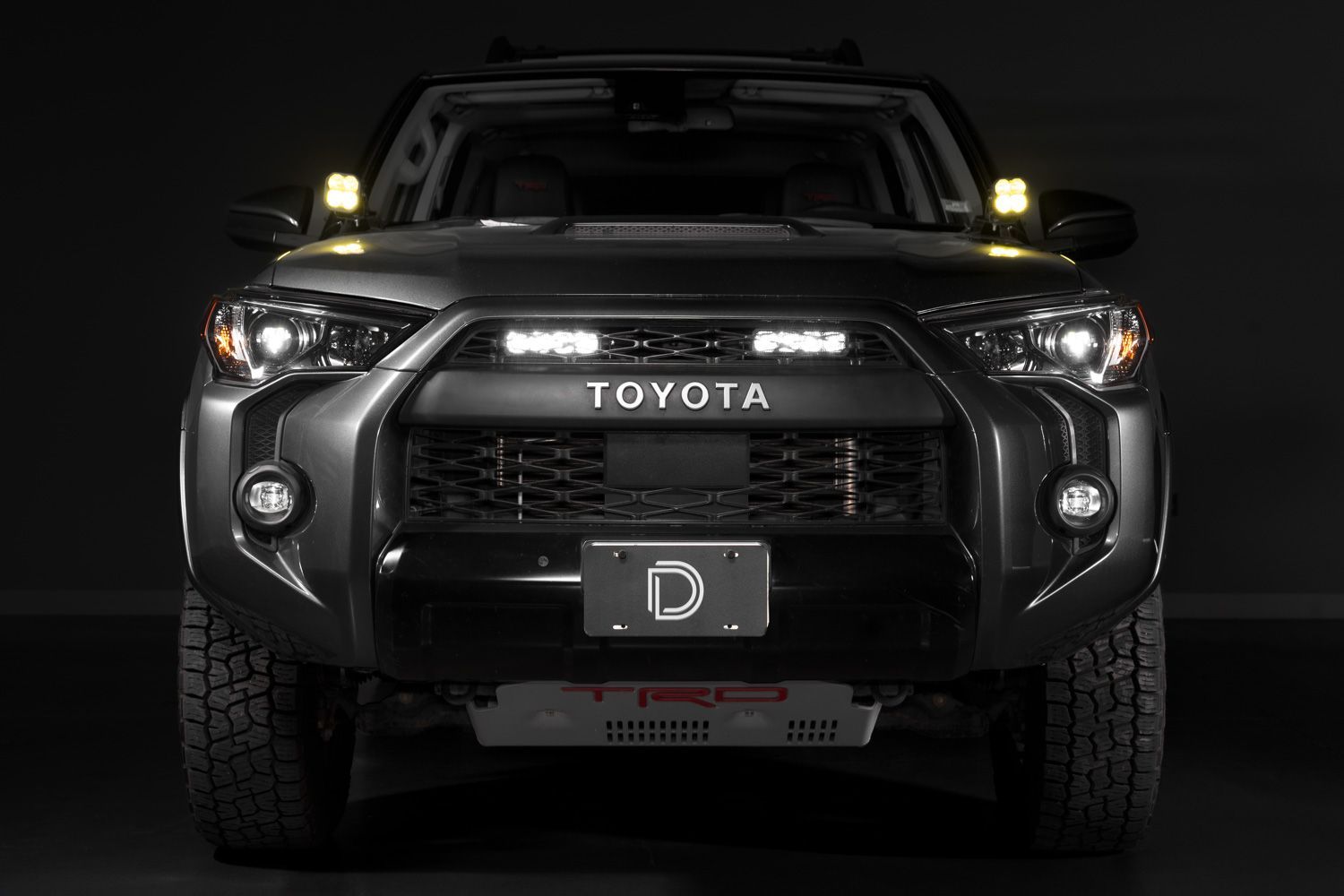
Table of Contents
- Installation Video
- Tools Required
- Mounting Instructions
- Wiring Instructions
- Questions About the Install?
- Shop 4Runner Lighting at Ess K Customs
Installation Video
Tools Required
- 10mm socket
- Flathead screwdriver or plastic trim removal tool
Mounting Instructions
Step 1 — Remove the Trim Panel
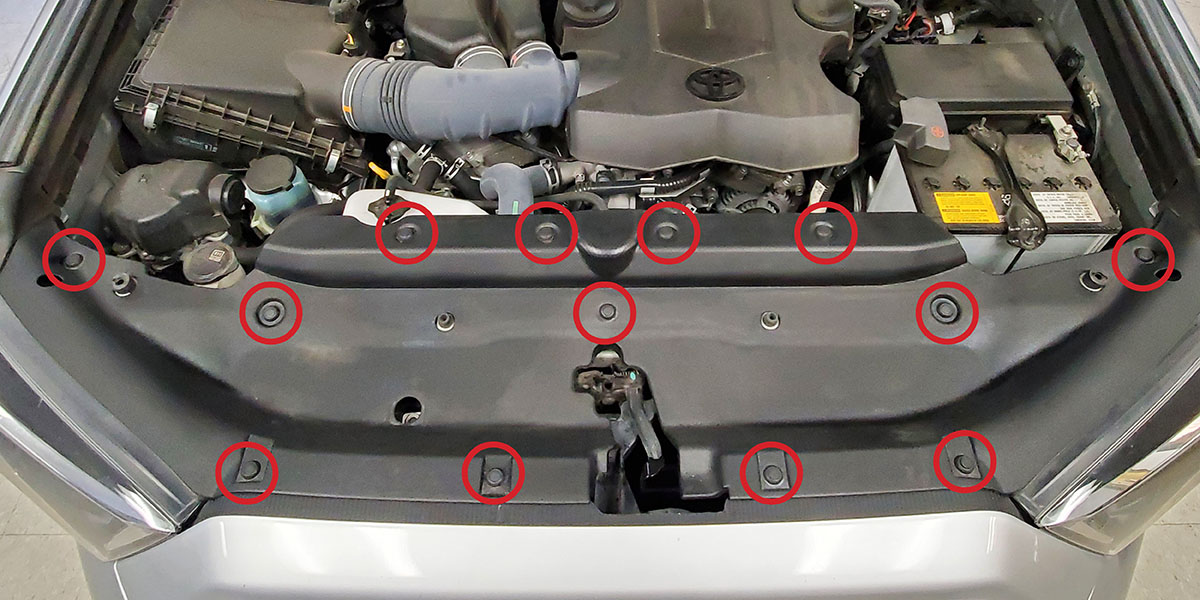
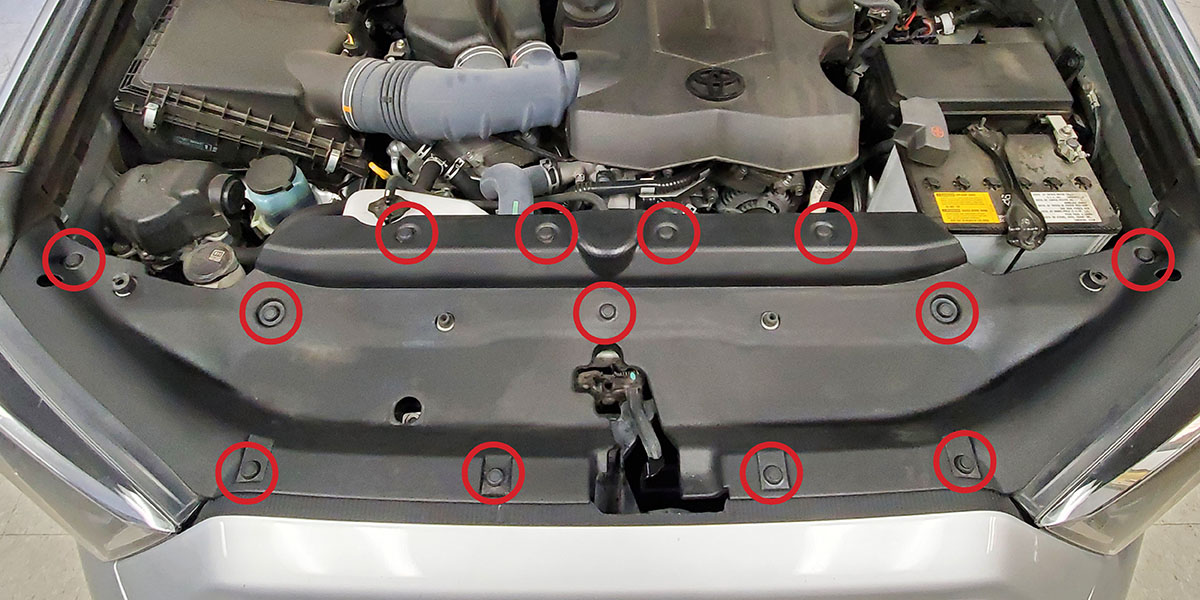
Remove the thirteen push rivets holding the core support trim panel in place. Push down on the center of each rivet, then use a plastic trim removal tool or flathead screwdriver to extract it. Reset each push rivet upon removal by pushing the center section back through the top.
Step 2 — Install the Brackets
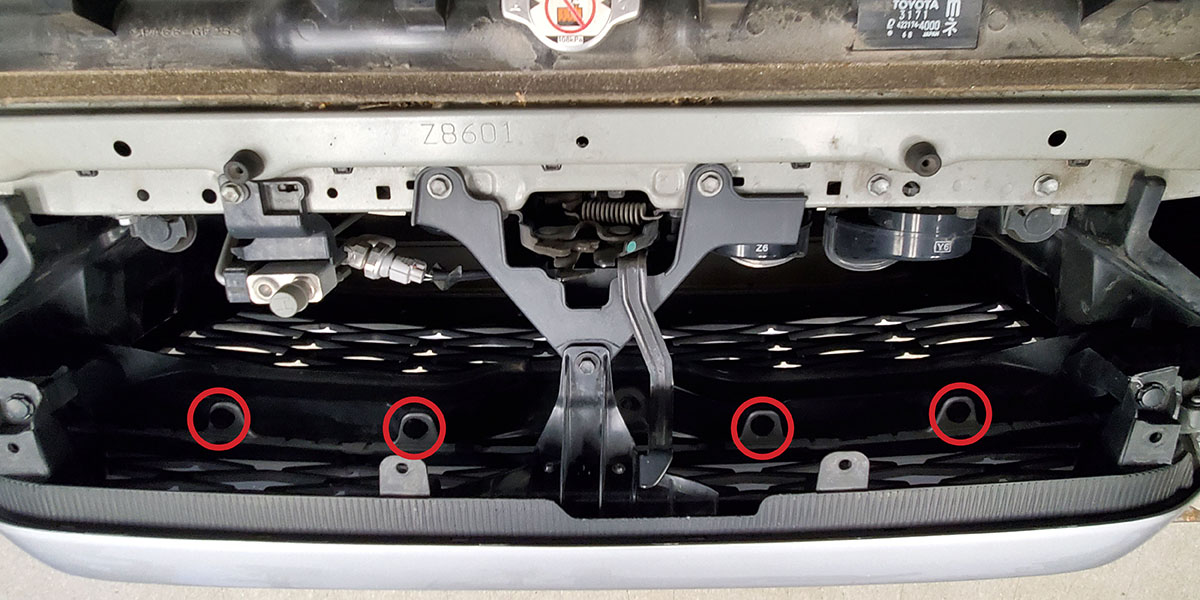
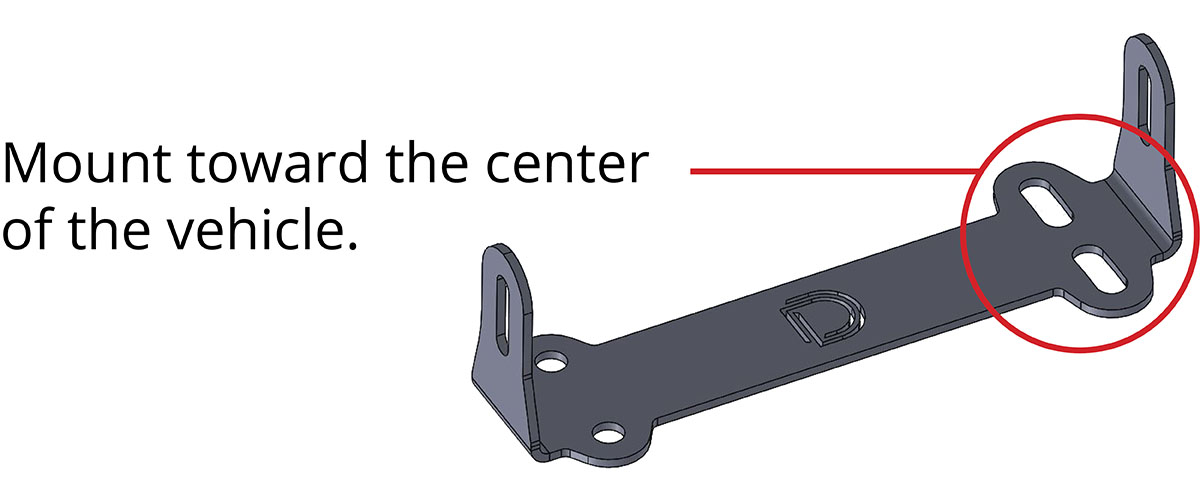
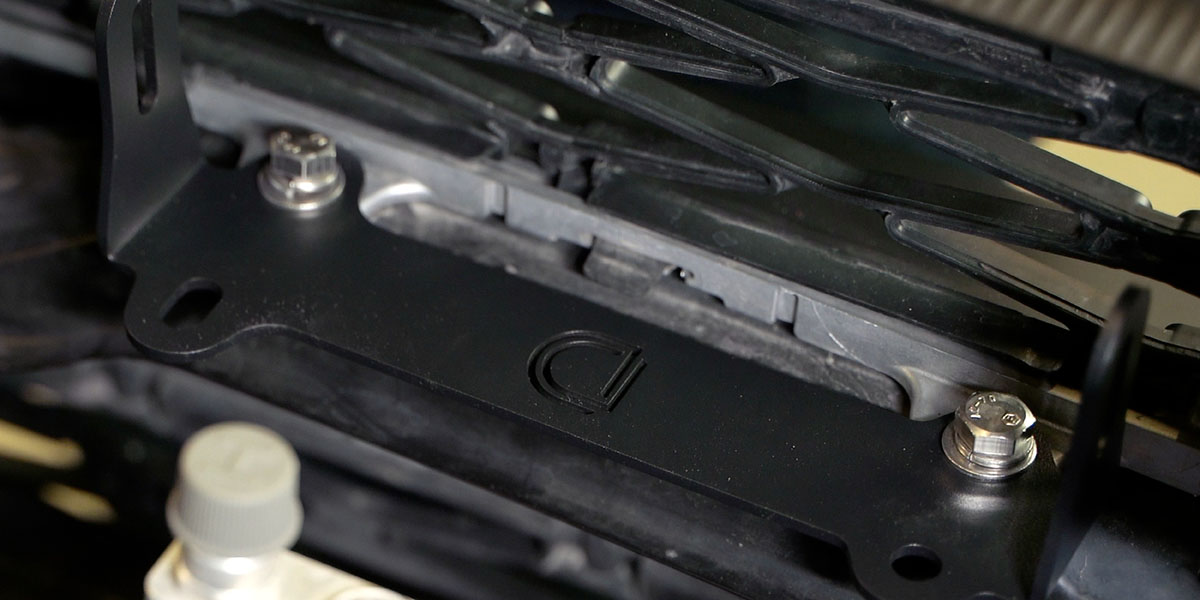
Remove the four plastic push rivets from the newly exposed mounting area. Install the Diode Dynamics brackets using the provided M8 hardware in the uncovered holes.
Step 3 — Mount the SS6 LED Light Bars
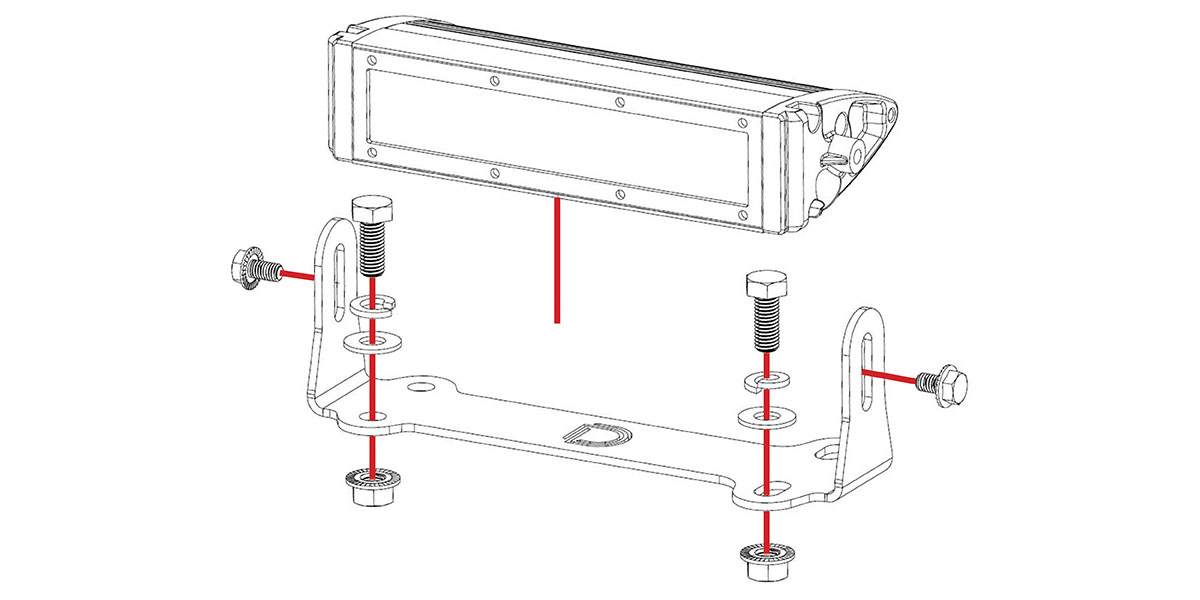
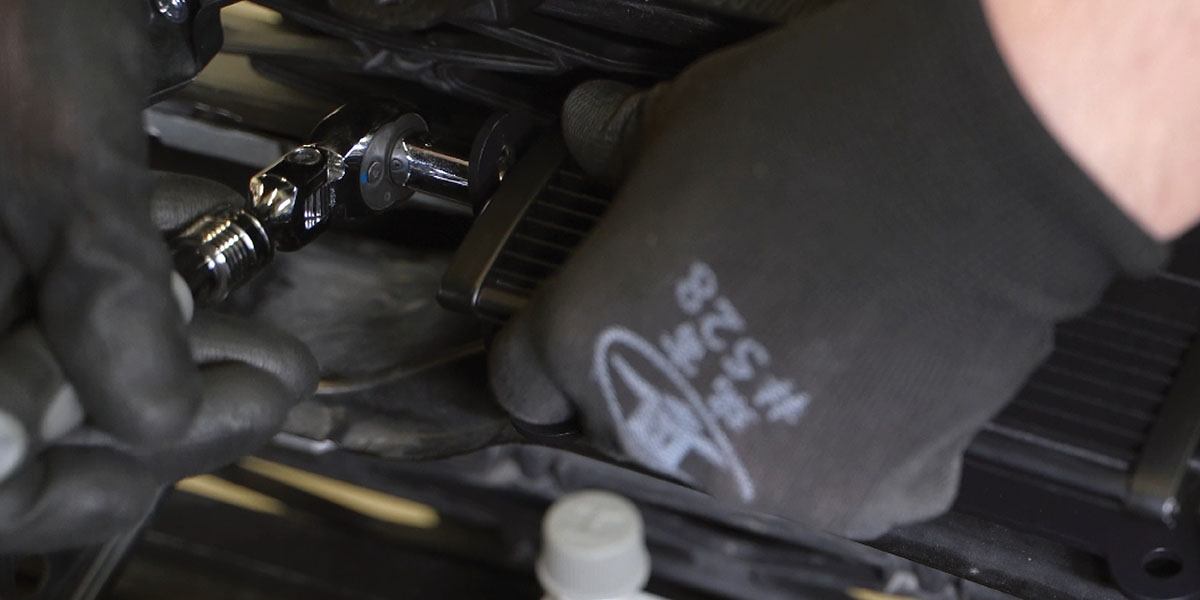
Using a 10mm wrench, install the Stage Series 6" LED light bars in the brackets with the provided M6 hardware.
Wiring Instructions
The following instructions are for 4Runners with an Auxiliary Switch Bank. If you don't have one, use the included toggle switch adapter wire to route a switch. All power sources must be fused.
Step 4 — Mount the Relay and Connect Power
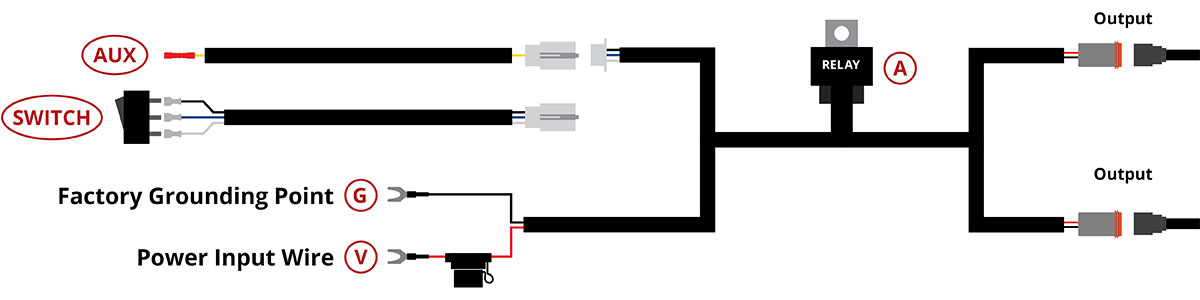
Mount the relay near the battery or main power terminal. Connect the red power input wire to the positive battery terminal and the black ground wire to the negative terminal or a factory grounding point.
Step 5 — Connect the Switch
At the white connector, unplug the switch wires from the harness and connect the extra pigtail instead. Using the butt connector at the end of the pigtail, crimp the yellow wire to an OEM Auxiliary Switch wire lead. Power is drawn from the battery, so any OEM Auxiliary Switch wire can be used regardless of amperage rating.
Step 6 — Route, Test, and Reassemble
Route the output wires to the LED light bars, avoiding moving parts and heat sources. Plug the output connectors into the light bars. Test to confirm proper operation, aim the light bars, and reinstall the core support trim panel using the original thirteen push rivets. The install is complete.
Questions About the Install?
If you run into any issues during the installation, contact Ess K Customs — as an authorized Diode Dynamics dealer, we're here to help.
Shop 4Runner Lighting at Ess K Customs
Looking for lighting upgrades for your 2014-2024 Toyota 4Runner? As an authorized Diode Dynamics dealer, Ess K Customs carries genuine products with full manufacturer warranty.
Browse 4Runner LED Light Bar Kits at Ess K Customs →
This install guide applies to Diode Dynamics SKUs: DD6755, DD6756, DD8597, DD8598, DD8599, DD8600, DD8601, DD8602, DD8603, DD8604, DD8854, DD8855, DD8856, DD8857