

The SS5 Grille CrossLink LED Light Bar Kit mounts four linked SS5 LED pods in front of the factory grille, and the SS5 Bumper LED Pod Kit mounts two SS5 pods on the factory bumper — both for the 2019-2023 Ram 1500. This guide covers both kits including grille modification, wiring, and backlight programming.
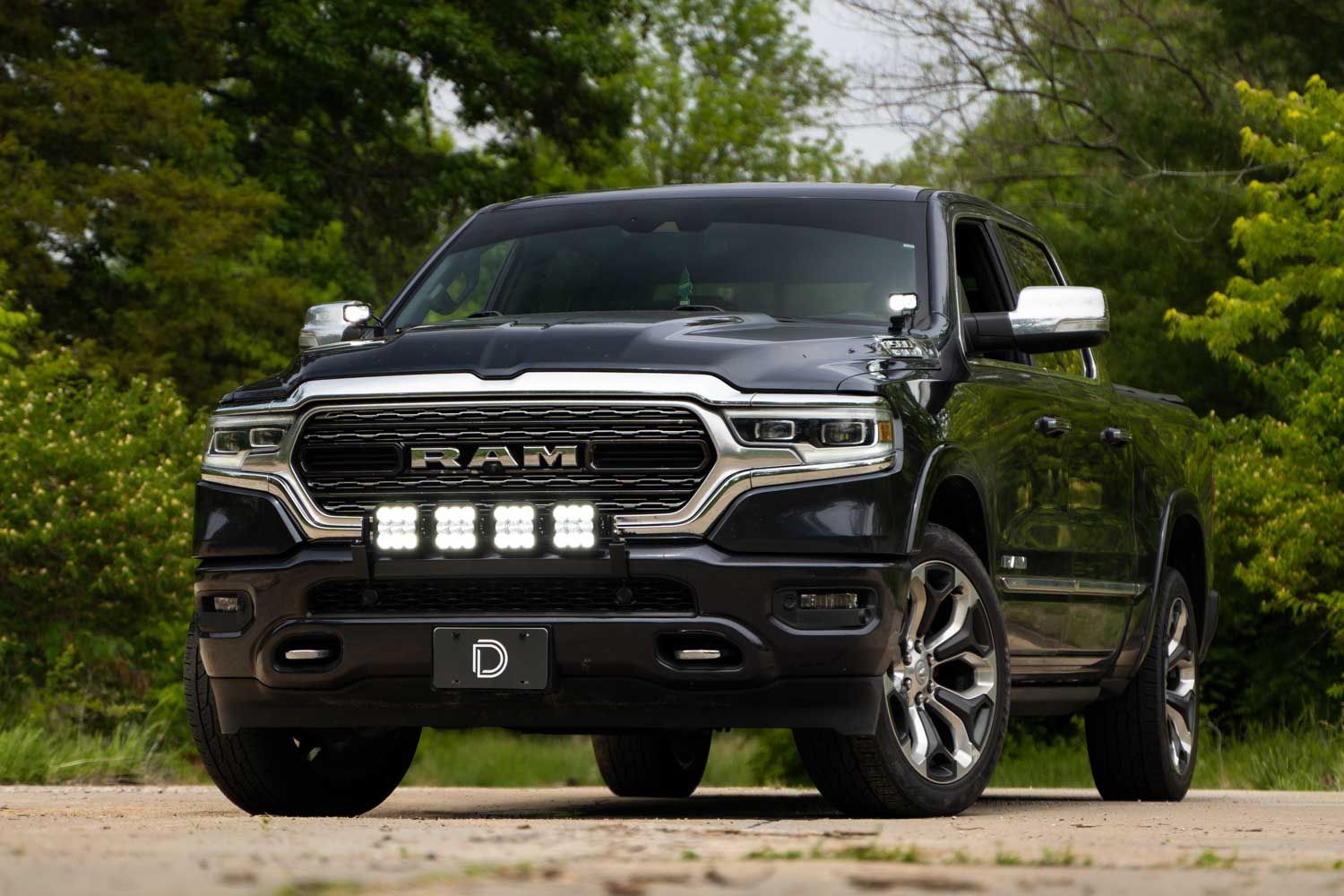

Table of Contents
- Tools Required
- Grille Preparation
- Bracket and Pod Mounting
- Wiring Instructions
- Backlight Color Programming
- Questions About the Install?
- Shop Ram 1500 Lighting at Ess K Customs
Tools Required
- 1/4" and 3/8" ratchets
- 8mm shallow, 10mm sockets
- 5mm Allen wrench
- Wire cutters
- Metal pry tool and plastic trim removal tool
- Dremel with cutoff wheel (or similar cutting tool)
Grille Preparation
Step 1 — Remove Lower Grille
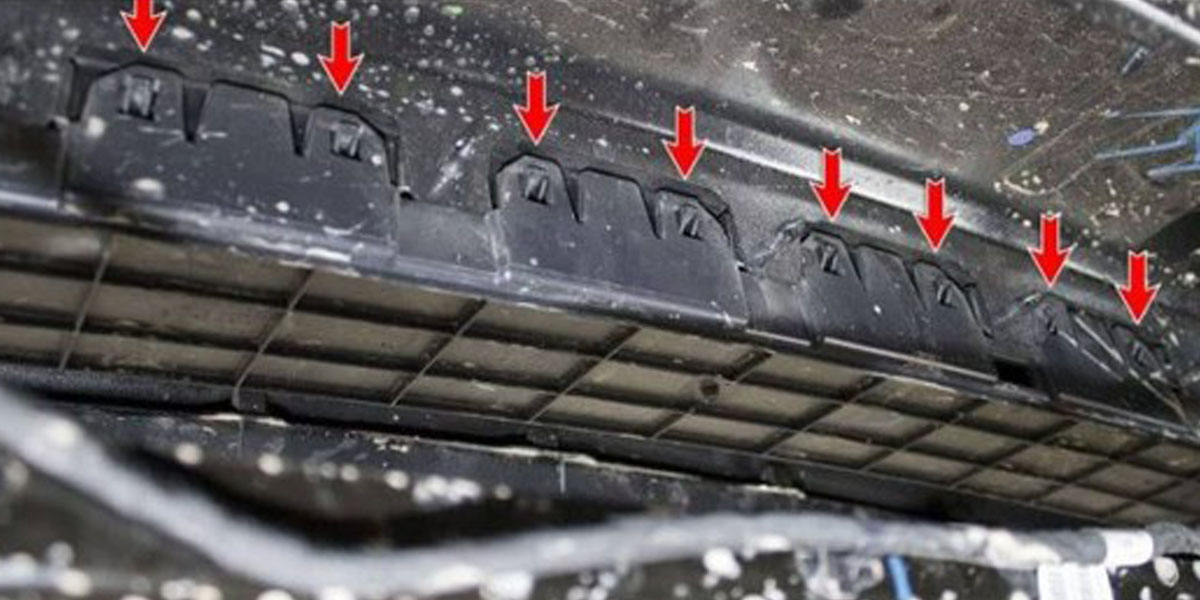
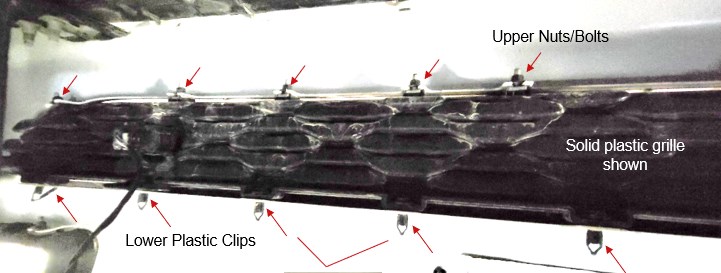
Remove the plastic splash shield from underneath the engine bay if equipped. If your vehicle has a vented lower grille, remove the rear cover by pulling retention tabs and sliding it back. Disconnect parking sensor harnesses on both sides if equipped (note sensor placement before removal). Using a metal pry tool, remove the 9 lower plastic clips. Using an 8mm shallow socket, loosen (don't remove) the 9 upper nuts. Slide the plastic grille forward to remove.
Step 2 — Modify Grille
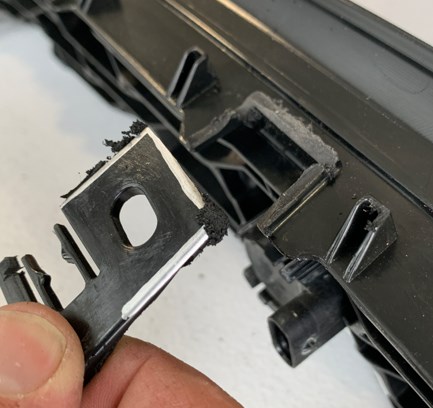
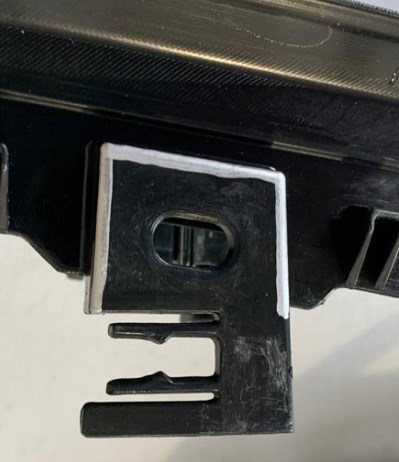
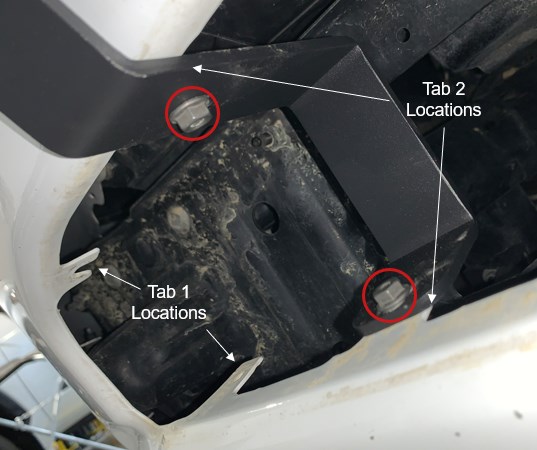
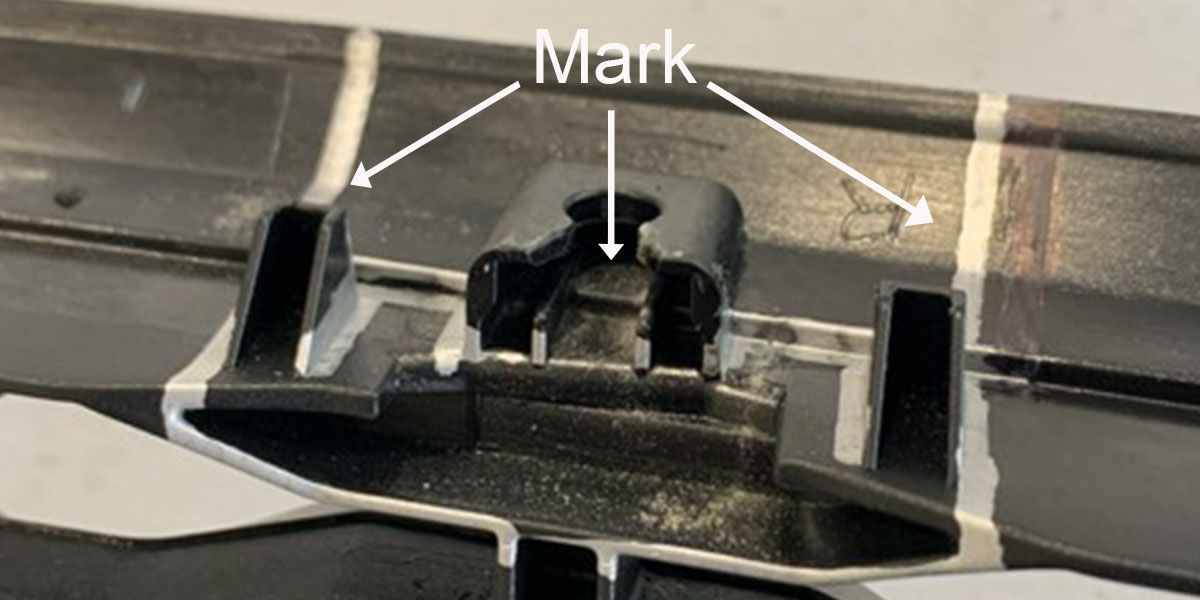
Using a Dremel with a cutoff wheel, cut the grille to allow pod fitment. On each side of the upper grille, cut off the curved upper portion first, then trim off the tabs. On each side of the lower grille, remove the lower tab. Make cuts as straight as possible — they'll be partially visible after installation.
Bracket and Pod Mounting
Step 3 — Install Brackets and Reinstall Grille
Using a 10mm socket, install the SS5 bumper brackets on each side of the vehicle using the supplied bolts and nuts. Slide the modified grille back into the bumper opening. Secure with the 9 upper nuts/bolts and 9 lower clips. Tighten everything down. Reconnect parking sensors if equipped. Reinstall the rear cover if applicable.
Step 4 — Mount Pods or CrossLink Light Bar
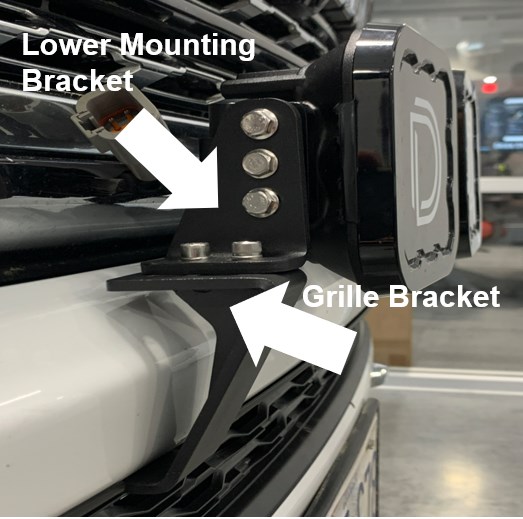
For the SS5 Bumper Pod Kit: Follow the SS5 Universal Mounting Guide to install the SS5 pods directly onto the grille brackets using the included mounting brackets and hardware.
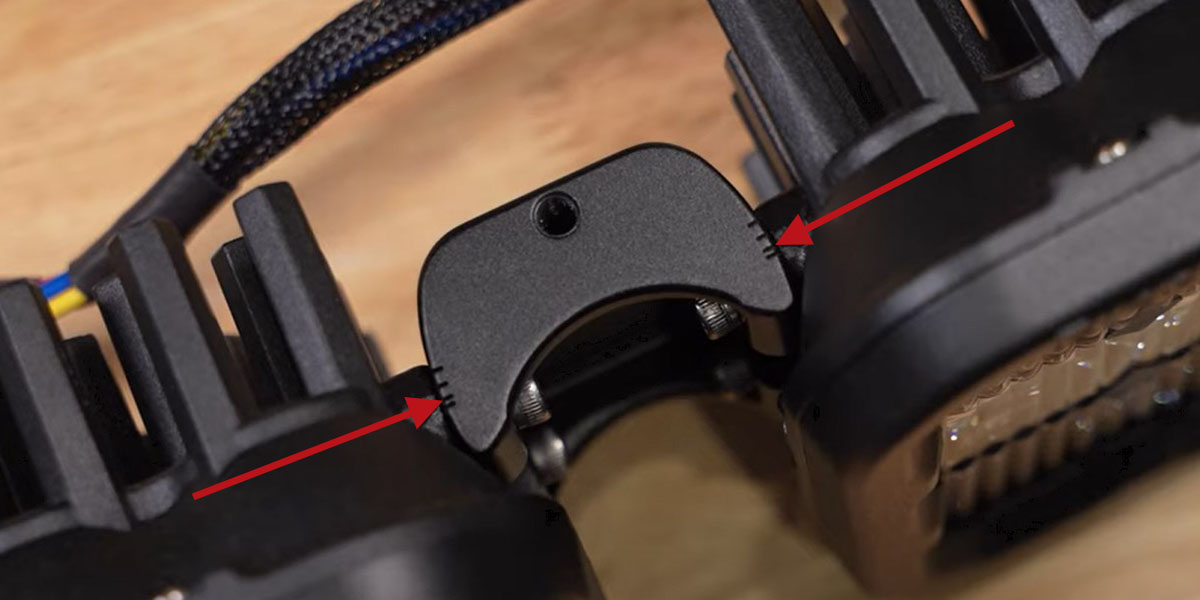
For the SS5 CrossLink Light Bar Kit: Mount the low-mount brackets (passenger and driver side) onto the grille brackets using included M6 hardware. Assemble the SS5 CrossLink light bar in a curved configuration — secure to the bottom of the second notch on each link for the correct curve.
Wiring Instructions
Step 5 — Route Switch, Connect Harness, and Wire to Battery
Determine a switch location and route the switch wiring (may require going through the firewall — unplug the toggle switch from the harness first for easier routing). Drill a hole, mount the switch, and reconnect. Connect the DT connectors to the SS5 LED pods and route the harness to the battery, avoiding heat and moving parts. Connect the black ground wire to the negative terminal and the red power wire to the positive terminal. Test function, aim the lights, and tighten all hardware.

Backlight Color Programming
The SS5 pods feature selectable backlight colors. To program:
- Start with power off. Cycle backlight power on/off three times quickly (within 3 seconds) to enter programming mode.
- Continue cycling power to scroll through colors until the desired color is displayed.
- Leave the desired color on for 5 seconds to save. The lamp exits programming mode.
- Turn off power. The saved color appears whenever backlight power is applied.
Color Reset: If multiple lamps get out of sync, enter programming mode and cycle through all colors twice (at least 16 power cycles). All lamps reset to white. Leave on for 5 seconds to save, then reprogram your desired color.
Questions About the Install?
If you run into any issues during the installation, contact Ess K Customs — as an authorized Diode Dynamics dealer, we're here to help.
Shop Ram 1500 Lighting at Ess K Customs
Looking for lighting upgrades for your 2019-2023 Ram 1500? As an authorized Diode Dynamics dealer, Ess K Customs carries genuine products with full manufacturer warranty.
Browse Ram 1500 SS5 Grille and Bumper Kits at Ess K Customs →
This install guide applies to Diode Dynamics SKUs: DD7607-DD7620