

Elite Series Headlights for the 2018+ Jeep JL Wrangler and 2020+ JT Gladiator include selectable DRL modes and Show Mode (Elite Max only). This guide walks through the full programming process for both features.
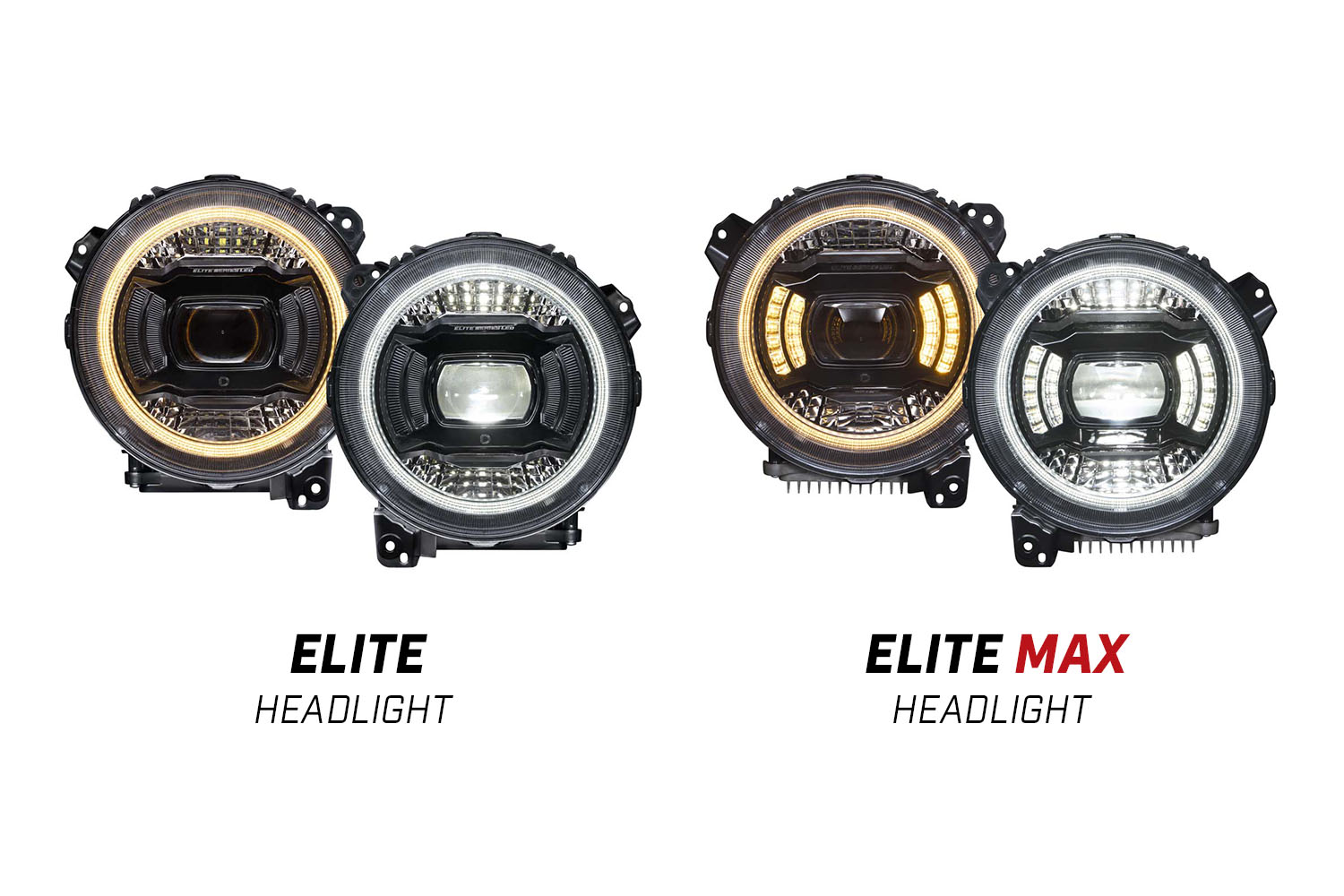
Table of Contents
- Programming Video
- DRL Mode Programming
- Show Mode Programming (Elite Max Only)
- Questions About Programming?
- Shop Jeep Headlights at Ess K Customs
Programming Video
Tip: Parking in front of a window or reflective wall makes it easier to see changes during programming.
DRL Mode Programming
- Start with the vehicle off and lights turned off.
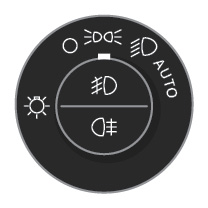
- Turn parking lights on.
- Within 5 seconds, cycle to low beam and back to parking lights three times quickly. The headlights will flash three times to confirm programming mode.
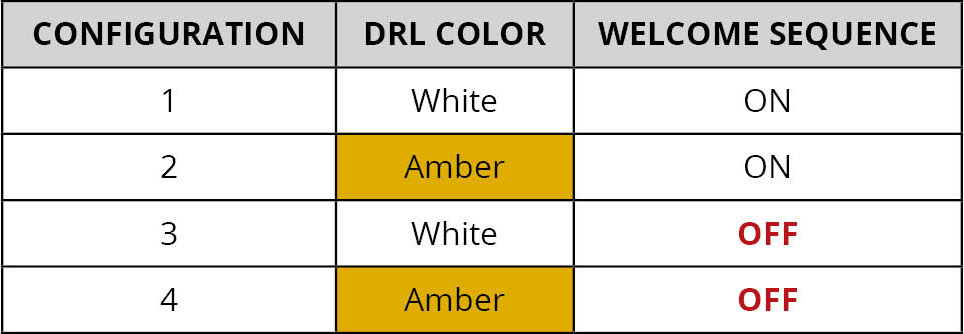
- Flash high beams using the steering wheel stalk to cycle through DRL configurations. Each flash shows the new DRL color selected.
- When you reach the desired configuration, turn off all lights. The configuration is saved and the lamp exits programming mode.
Tip: Each time you enter programming mode, it restarts at configuration 1. To select configuration 4, enter programming mode and flash high beams three times. If unsure which configuration you've selected, turn all lights off and restart the process.


Show Mode Programming (Elite Max Only)
- Start with the vehicle and all lights turned off. The vehicle must not be running to activate Show Mode.
- Turn parking lights on.
- Turn offroad lights on.
- Within 5 seconds, cycle to low beam and back to parking lights three times quickly.
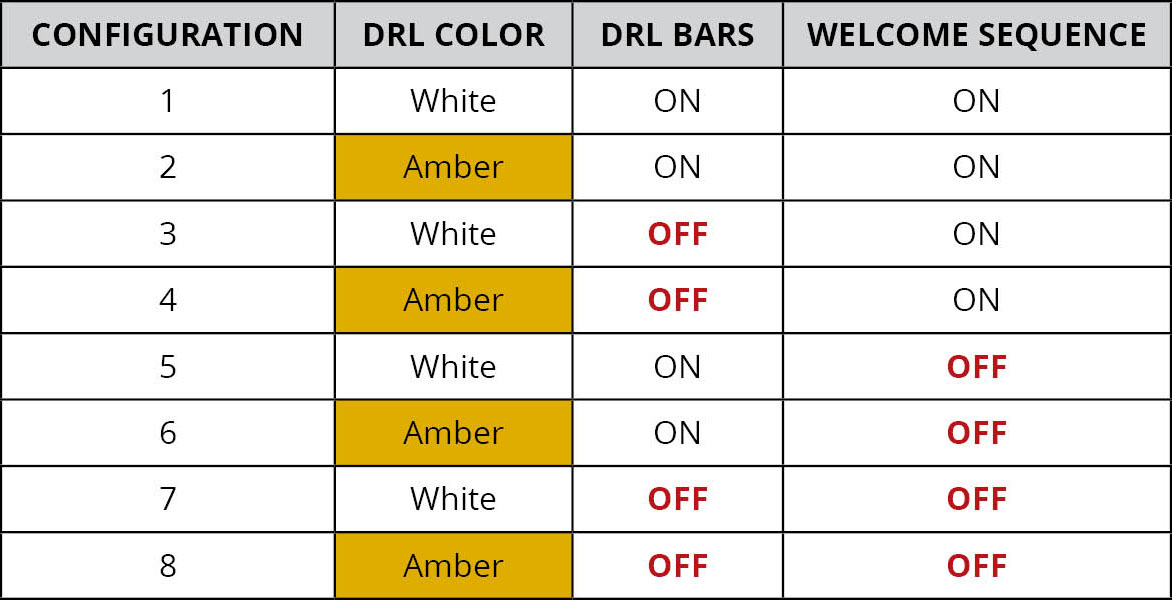
- The headlights enter Show Mode, always starting in Mode 1.
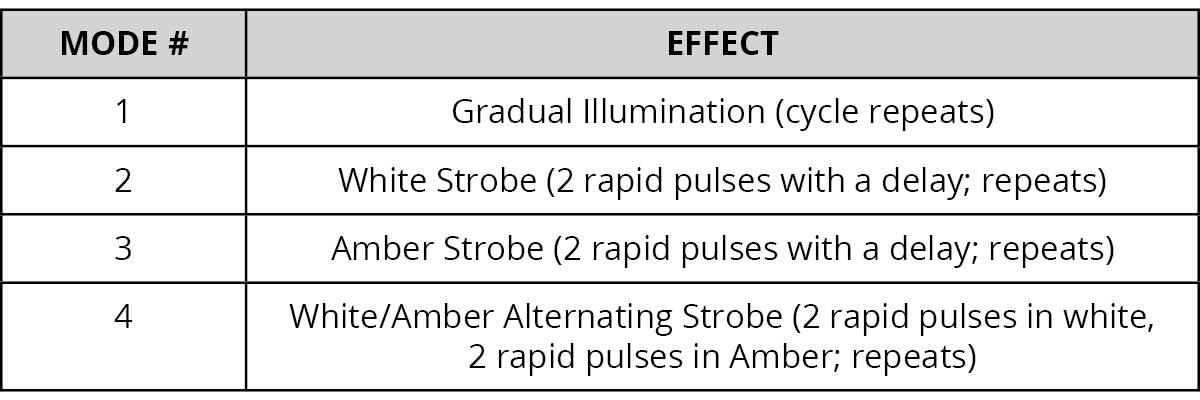
- Flash high beams to cycle through four Show Mode options. Note: Show Mode selections cannot be saved — cycle to your desired mode each time you activate Show Mode.
- To exit Show Mode, turn off all lights including parking lights and offroad lights.
Questions About Programming?
If you run into any issues during programming, contact Ess K Customs — as an authorized Diode Dynamics dealer, we're here to help.
Shop Jeep Headlights at Ess K Customs
Ready to upgrade your JL Wrangler or JT Gladiator with Elite Series Headlights? As an authorized Diode Dynamics dealer, Ess K Customs carries both Elite and Elite Max models with full manufacturer warranty.
Browse Jeep Elite Series Headlights at Ess K Customs →
This programming guide applies to Diode Dynamics SKUs: DD5165, DD5166