

The Stage Series LED Lightbar Kit for the 2019-2021 Ford Ranger delivers powerful forward-facing illumination with a clean, factory-integrated look. Here's how to get it installed on your Ranger.
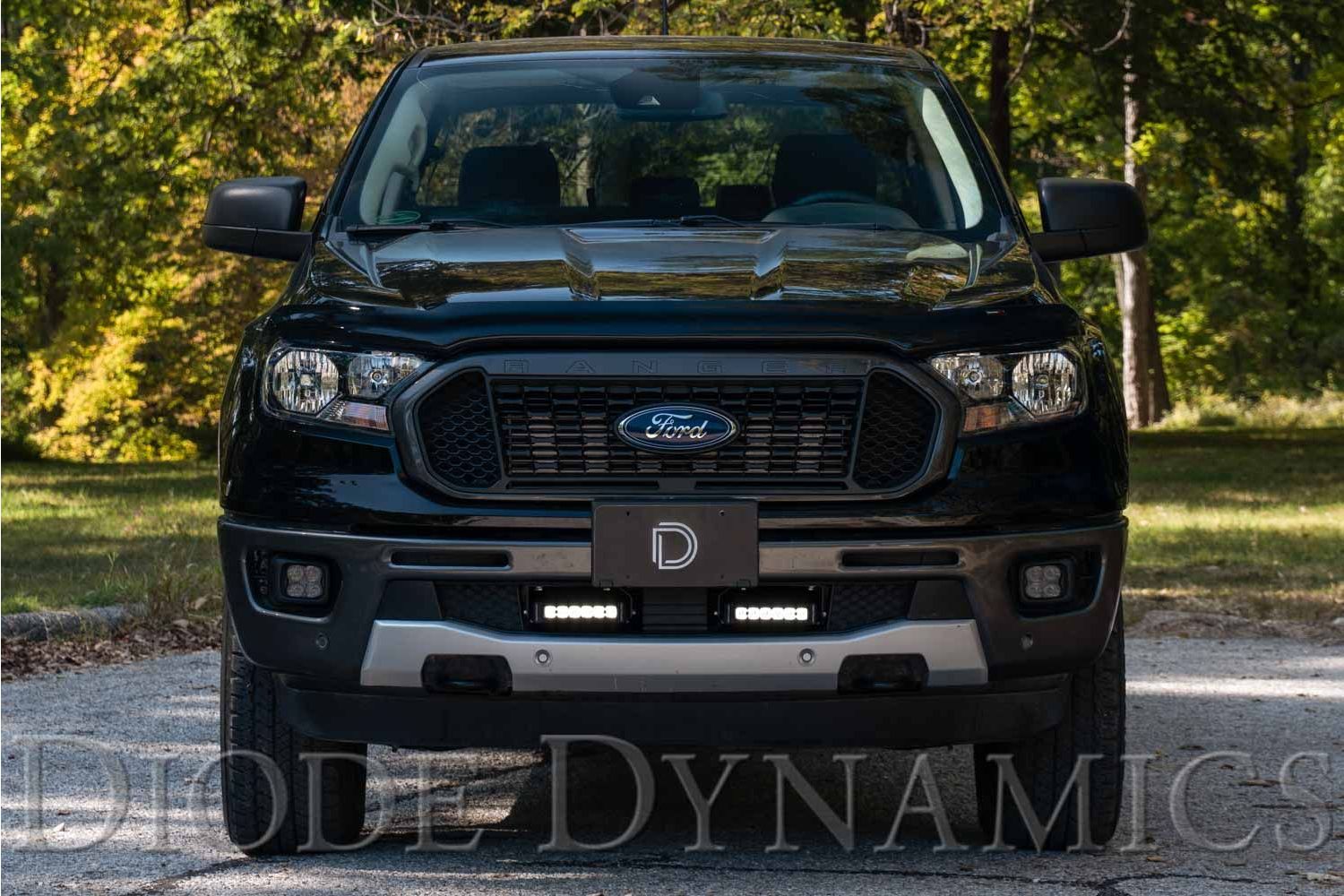
Table of Contents
- Tools Required
- Installation Instructions
- Questions About the Install?
- Shop Ford Ranger Light Bar Kits at Ess K Customs
Tools Required
- Flat-head screwdriver or trim removal tool
- 10mm socket
- 13mm socket
Installation Instructions
Step 1 — Remove the license plate holder (if applicable). Use a 10mm socket to remove the two screws along the bottom. Then use a trim tool or flat-head screwdriver to pry up the two mounting clips on top and pull the holder free.
Step 2 — Using a trim tool or flat-head screwdriver, remove the five plastic push rivets along the top of the lower grille opening. NOTE: Keep the center push rivet — it gets reused.
Step 3 — Route the wiring harness across the front of the engine bay and down the front passenger-side corner to the lower grille area. This requires removing the core-support trim panel (held by four plastic push rivets and two screws on the intake). TIP: Route the harness before installing the light bar — access gets tight once the bar is mounted.
Step 4 — Install the four included clip-on barrel nuts into the holes along the top of the lower grille (where the push rivets were). NOTE: You may need to bend the retainer clips slightly outward to avoid scratching the paint during installation.
Step 5 — Using a 13mm socket and the included M8 bolts, washers, and lock washers, install the light bar mounting brackets. The side of each bracket with the curved mounting slot faces the innermost side of the vehicle.
New Stage Series Lightbars — Mounting Adapter Bracket
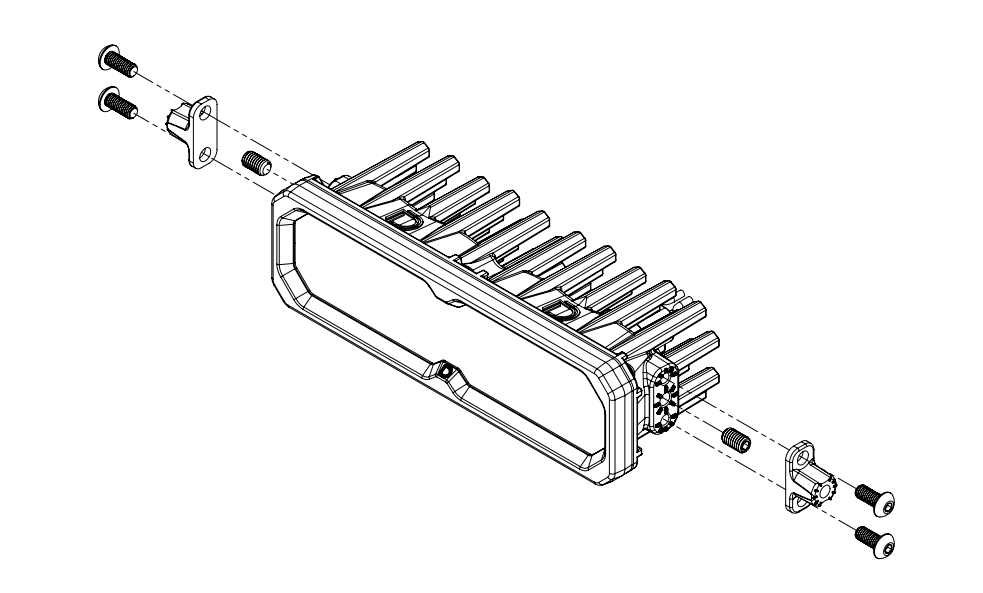
If your kit includes a mounting adapter bracket, install it onto the lightbar before attaching it to the main brackets. Install the included set screws in the center mounting position on both sides of the lightbar, then secure the adapter using the included Torx screws in the top and bottom mounting holes. Once the adapter is locked in, use the supplied hex bolt to mount the lightbar to the main bracket as normal.
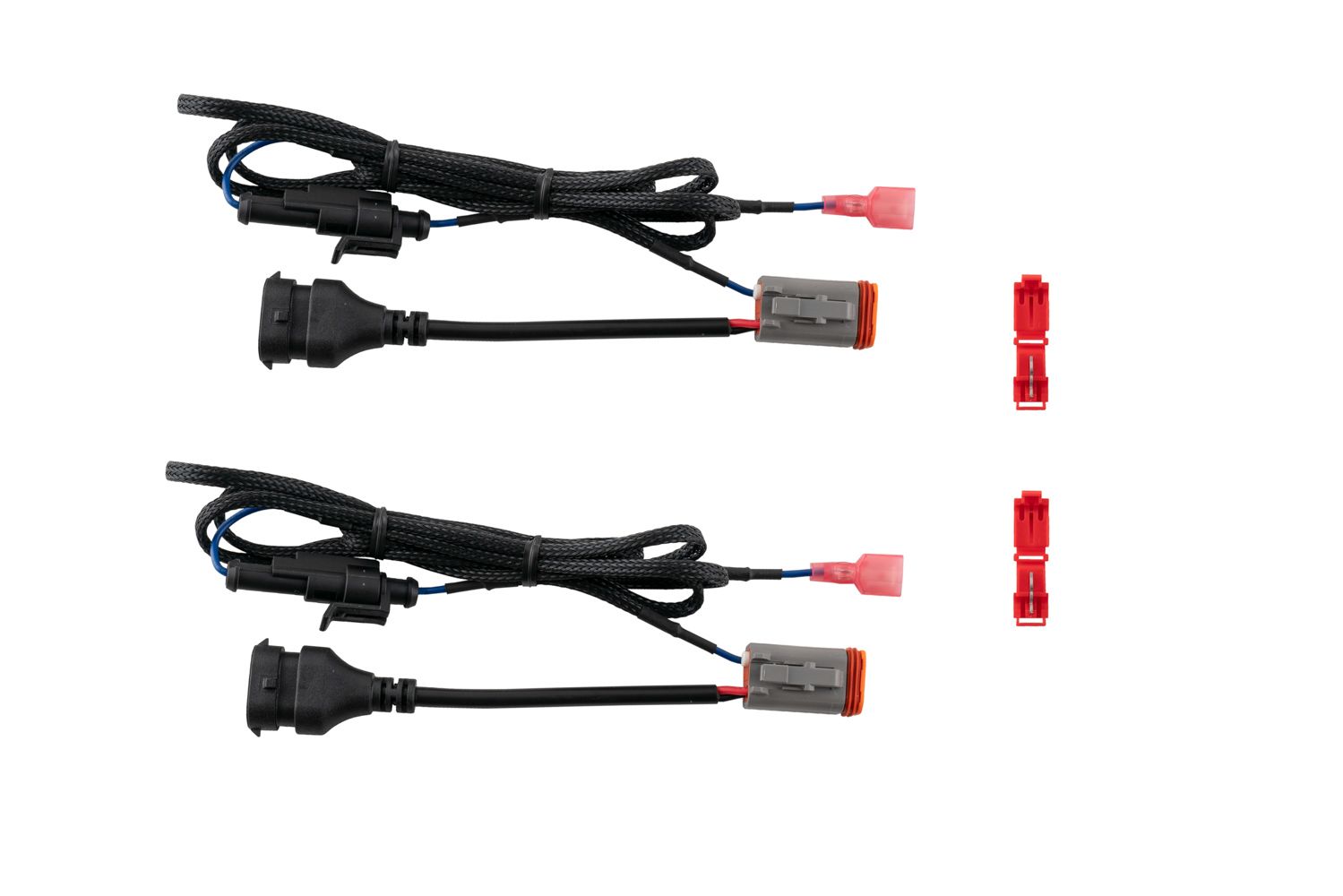
Step 6 — Connect the 6" light bars to the wiring harness.
Connect Backlight Wire (Optional)
New Stage Series Light Bars feature an integrated amber backlight that illuminates the TIR optic, creating a distinctive accent look while improving visibility when parked or stopped on the trail. If your light bar has the backlight function, connect the blue wire with the red male spade connector to a fused 12V source. The parking light or sidemarker circuit is commonly used so the backlight activates with your vehicle's exterior lighting.
Use the included T-taps to make the connection: position the T-tap over the selected wire, use needle-nose pliers to fully seat and crimp the tap, and insert the red male spade connector until secure.
NOTE: The power source must be fused. Do not connect the backlight wire directly to the vehicle battery.
Step 7 — Using a 10mm wrench and the included hardware, mount the light bars onto the brackets. Use the adjustment slots to dial in the height and aim of each bar. Once everything is aimed where you want it, tighten down the 10mm and 13mm nuts.
Step 8 — Reinstall the lower grille and license plate holder (if applicable) using the original hardware. If your Ranger has adaptive cruise control or lane assist, confirm those systems are operating properly to wrap up the install.
Questions About the Install?
If you run into any issues during the installation, contact Ess K Customs — as an authorized Diode Dynamics dealer, we're here to help.
Shop Ford Ranger Light Bar Kits at Ess K Customs
Ready to upgrade your Ranger with a Stage Series LED Light Bar Kit? As an authorized Diode Dynamics dealer, Ess K Customs carries genuine products with full manufacturer warranty.

Shop Stage Series LED Lightbar Kit for 2019-2021 Ford Ranger →
This install guide applies to Diode Dynamics SKUs: DD8869, DD8621, DD8625, DD6592, DD8871, DD8623, DD8627, DD8870, DD8622, DD8626, DD6593, DD8872, DD8624, DD8628, DD6595