

The Stage Series LED Bed Light Kit adds powerful downward-facing rock lights to your Kuat IBEX bed rack, lighting up the truck bed for loading, unloading, or working at camp after dark. This is a clean bolt-on install — no drilling, no cutting. Here's the full walkthrough.
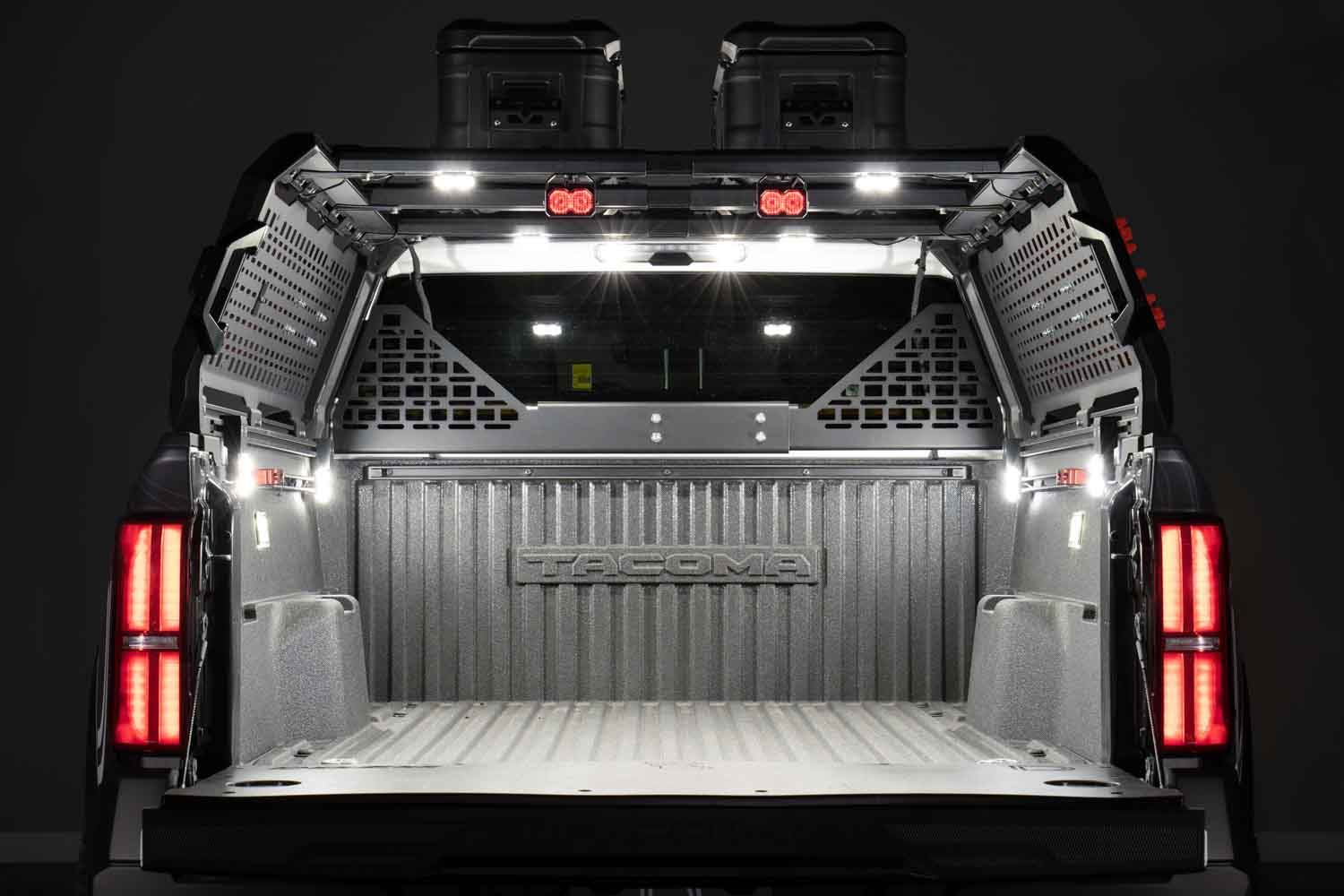
Table of Contents
- Installation Video
- Tools Required
- Installation Instructions
- Questions About the Install?
- Shop IBEX Lighting at Ess K Customs
Installation Video
Tools Required
- 4mm Allen key
- Pliers
- Trim removal tool
- Scissors (for cutting wire retaining strip)
Installation Instructions
Step 1 — Insert the T-nuts into the T-slot channel on the underside of the Kuat IBEX rack crossbars. Align them with the slot openings and slide into position where you want each rock light mounted.
Step 2 — Thread the mounting bolt through the rock light bracket and into the T-nut. Hand-tighten for now — you'll fine-tune positioning after all lights are placed.
Step 3 — Repeat the mounting process for each rock light. The kit includes enough hardware for full bed coverage. Space them evenly across the crossbars for balanced light output.
Step 4 — Install the desired lens on each rock light — clear for white output or amber for a warm tone. The lenses snap on over the LED housing.
Step 5 — Route the wiring harness along the rack channels toward the cab. Use the included wire retaining strips cut into sections to keep the wiring clean and secure within the T-slot channels.
Step 6 — Connect each rock light to the splitter harness using the weatherproof connectors. Make sure each connection clicks securely into place.
Step 7 — To tap into OEM bed light power, locate the factory bed light connector. Use the included T-Tap connectors to splice into the positive and ground wires. This gives you automatic activation with your existing bed light switch — no extra switches needed.
Step 8 — Secure all loose wiring with zip ties and the remaining wire retaining strips. Route cables away from any moving or hot components. Tuck excess wiring neatly out of sight.
Step 9 — Tighten all mounting hardware using a 4mm Allen key. Test the lights by activating your bed light switch. Adjust light positions if needed for optimal coverage, then tighten everything down. The install is complete.
Questions About the Install?
If you run into any issues during the installation, contact Ess K Customs — as an authorized Diode Dynamics dealer, we're here to help.
Shop IBEX Lighting at Ess K Customs
Looking for lighting kits for your Kuat IBEX rack? As an authorized Diode Dynamics dealer, Ess K Customs carries genuine products with full manufacturer warranty.
Shop the IBEX Bed Light Kit at Ess K Customs →
This install guide applies to Diode Dynamics SKU: DD8440