

The C1R HitchMount LED Pod Reverse Kit for the 2019-2025 GMC Sierra 1500 installs a C1R LED pod in your 2-inch trailer hitch receiver, adding a high-power reverse light, running light, and fourth brake light with SafetyStrobe. Here's the full installation walkthrough.
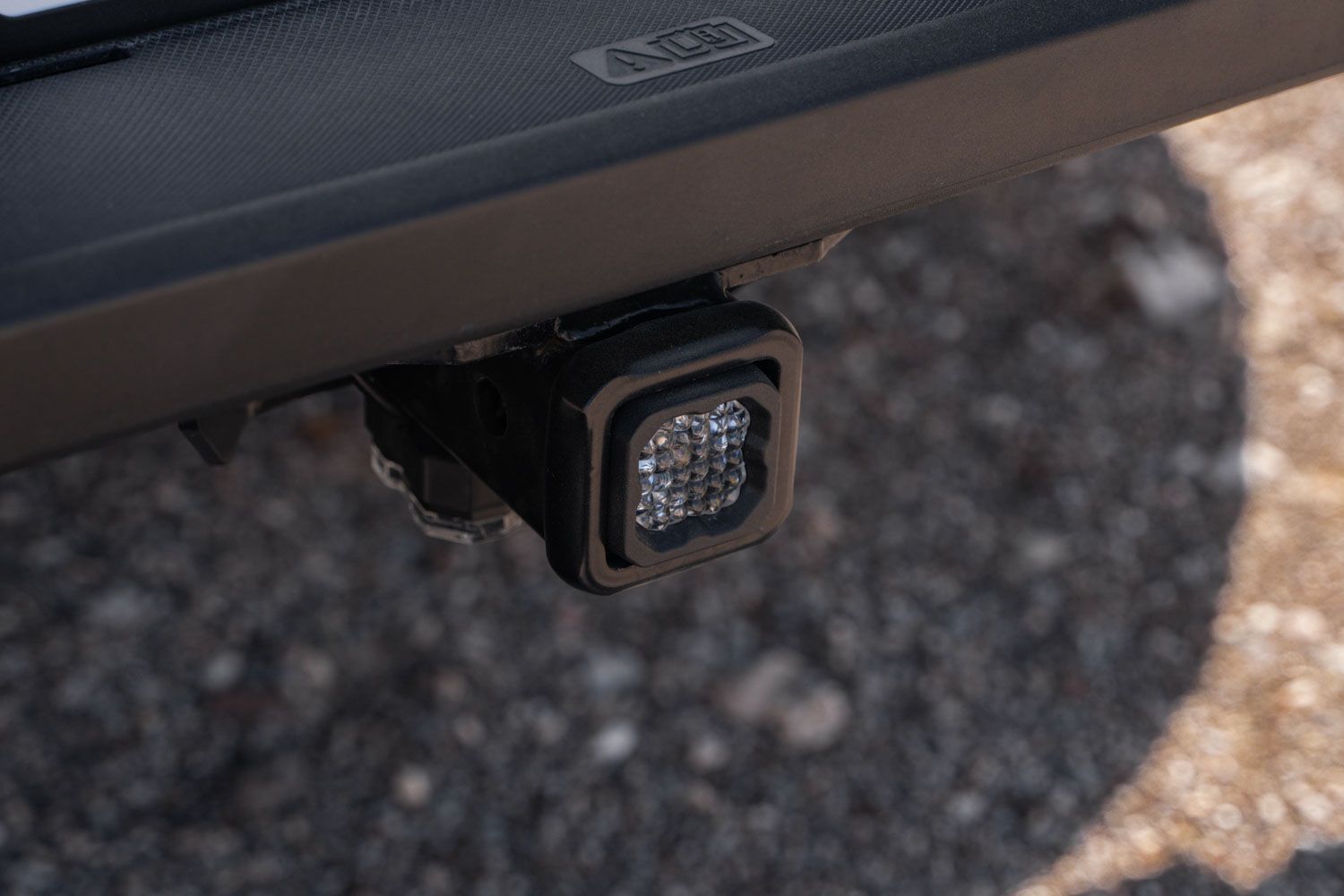
Table of Contents
- Installation Video
- Installation Instructions
- Optional: Using a Hitch Pin
- Questions About the Install?
- Shop GMC Sierra Lighting at Ess K Customs
Installation Video
Note: This guide is for the C1R kit only. All HitchMount kits now include a custom-molded adapter sleeve for 2.5-inch receivers — set it aside if you have a standard 2-inch hitch.
Installation Instructions
Step 1 — Connect 6-Pin Harness
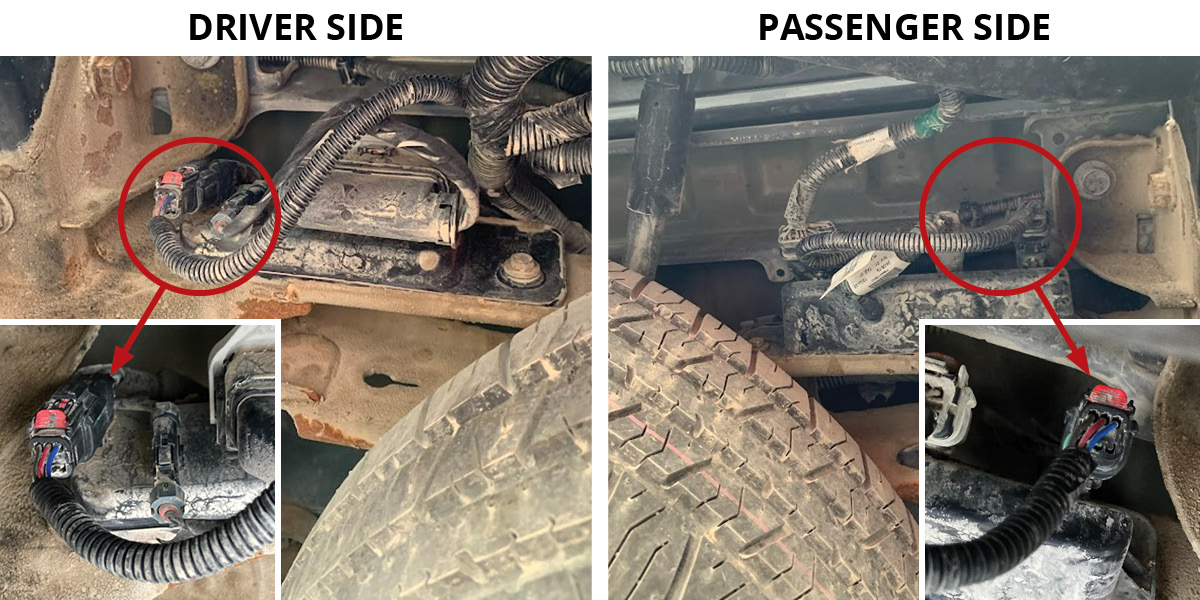
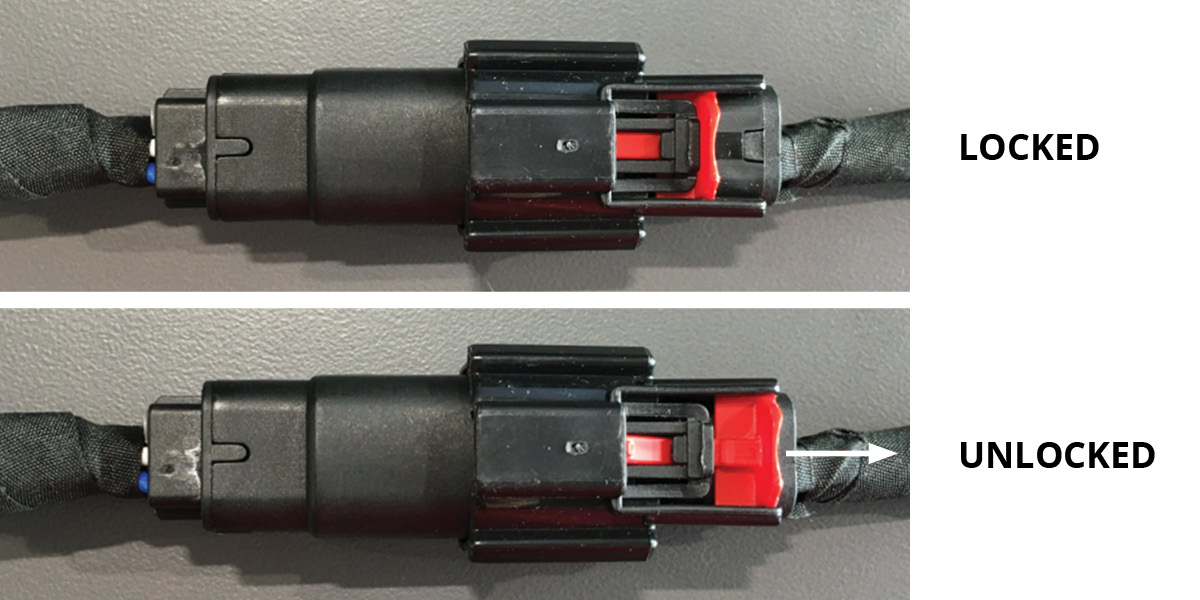
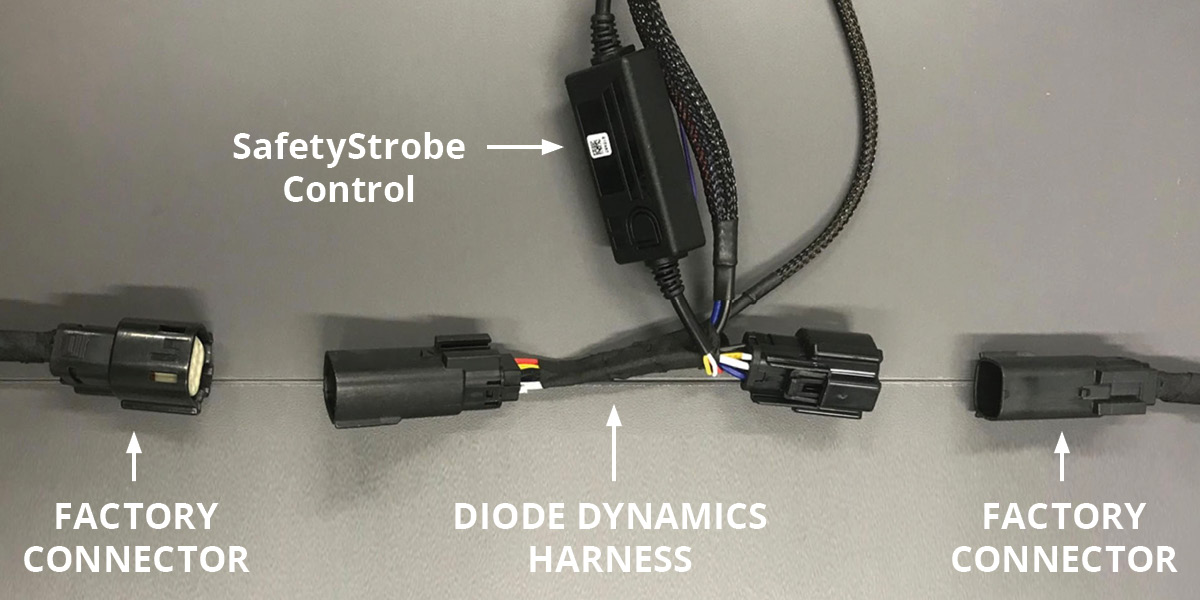
From underneath the rear of the truck, locate the two factory 6-pin connectors on either side of the spare tire. Slide each red locking tab into the unlocked position and disconnect the factory connectors. Starting on the driver's side, plug the provided 6-pin connectors inline between the factory harness and the factory connector. Fully seat and lock each connector. Repeat on the passenger side. The section of the harness with the SafetyStrobe control box can be installed on either side.
Step 2 — Install HitchMount LED Pod
Route the DT connector through the back of the trailer hitch receiver. Remove the dust cap and plug the DT connector into the C1R LED pod. Push the HitchMount into the hitch receiver using the patent-pending snap-fit clip until it locks into place.
Step 3 — Test and Secure
Test all functions — reverse, running light, and brake light. Secure the wiring harness with the included zip ties to complete the installation.
Removing the HitchMount: Depress the clips on either side and apply forward pressure to slide the pod out. If disconnecting for an extended period, unplug the 6-pin connectors as well. Otherwise, reinstall the dust cap and tuck the DT connector away.
Optional: Using a Hitch Pin
The HitchMount stays securely in place during use, but you can add a locking hitch pin (not included) for extra security. Push each retention tab outward and cut out the circular section with a cutting tool. Repeat on both sides. Plug the DT connector into the pod, slide the HitchMount into the receiver, and insert the hitch pin while aligning with your other hand. The tight fit prevents rattling. This modification does not void the manufacturer warranty.
Questions About the Install?
If you run into any issues during the installation, contact Ess K Customs — as an authorized Diode Dynamics dealer, we're here to help.
Shop GMC Sierra Lighting at Ess K Customs
Looking for lighting upgrades for your 2019-2025 GMC Sierra 1500? As an authorized Diode Dynamics dealer, Ess K Customs carries genuine products with full manufacturer warranty.
Browse GMC Sierra HitchMount Kits at Ess K Customs →
This install guide applies to Diode Dynamics SKUs: DD7646, DD4147