

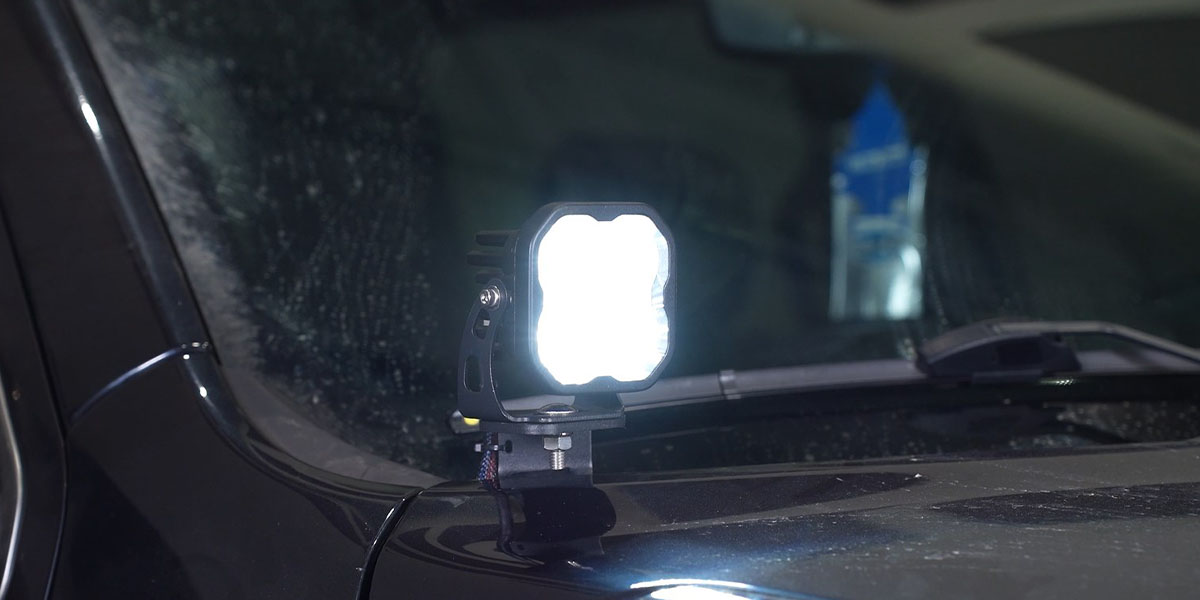
The Stage Series Backlit LED Ditch Light Kit for the 2019-2023 Ram 1500 mounts two SS5, SS3, or SSC2 LED pods above the hood near the A-pillars — adding serious forward and side lighting without any permanent modification. Here's the full installation walkthrough.
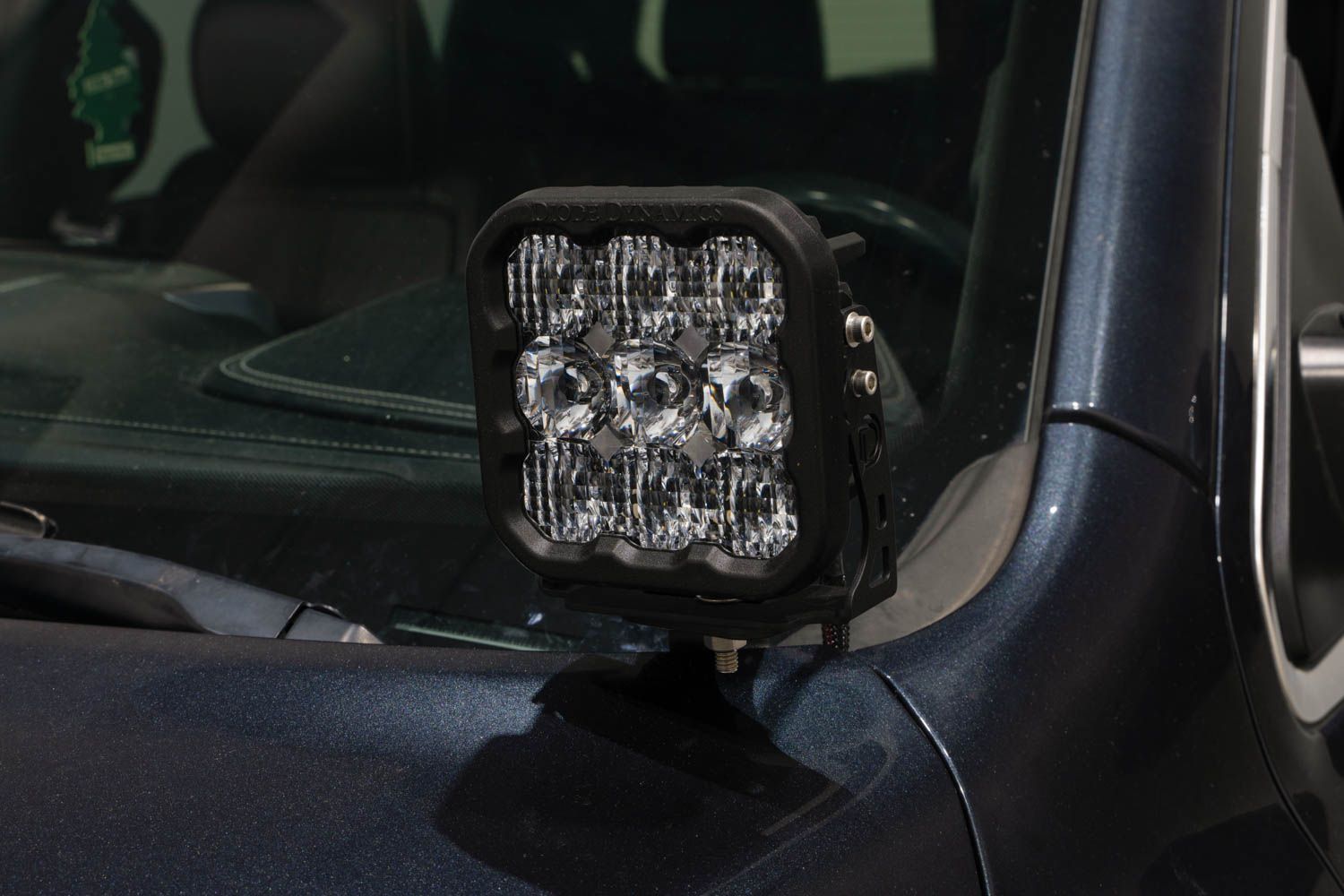
Table of Contents
- Installation Video
- Tools Required
- Mounting Instructions
- Wiring Instructions
- Questions About the Install?
- Shop Ram 1500 Lighting at Ess K Customs
Installation Video
Tools Required
- Ratchet
- 13mm socket
- 4mm hex key
- 1/2" wrench
Mounting Instructions
Step 1 — Install Passenger Side Bracket
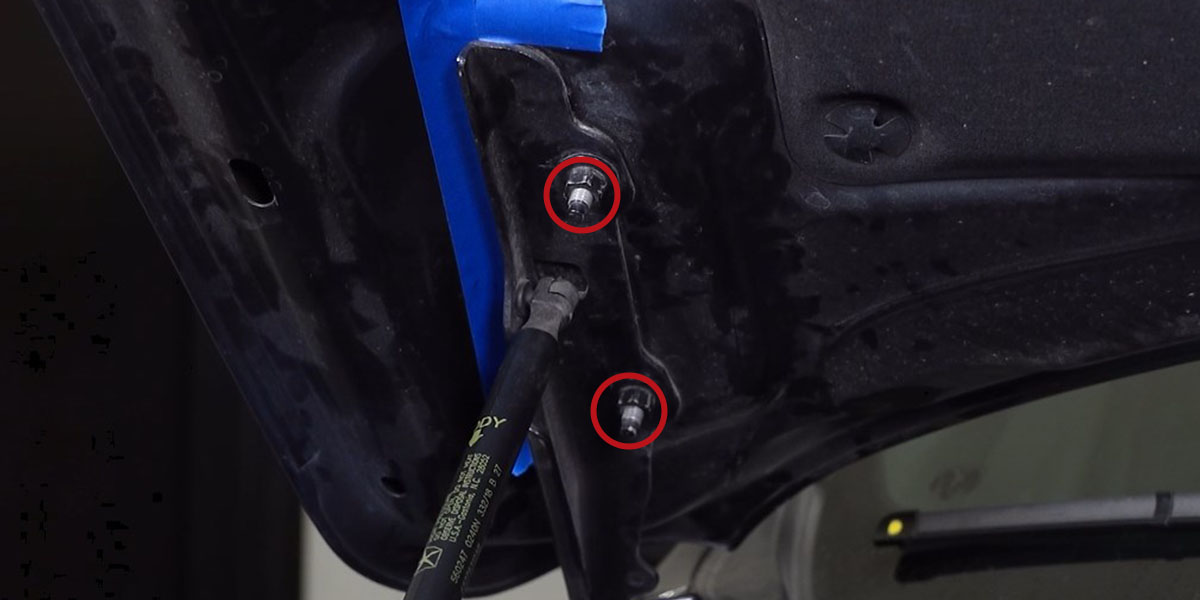
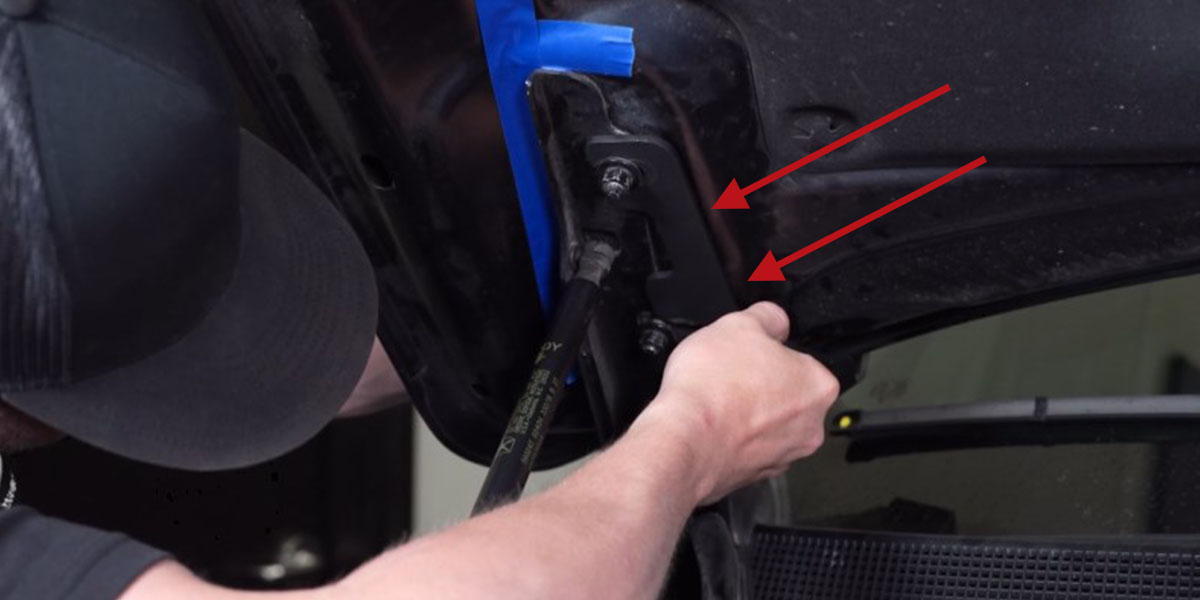
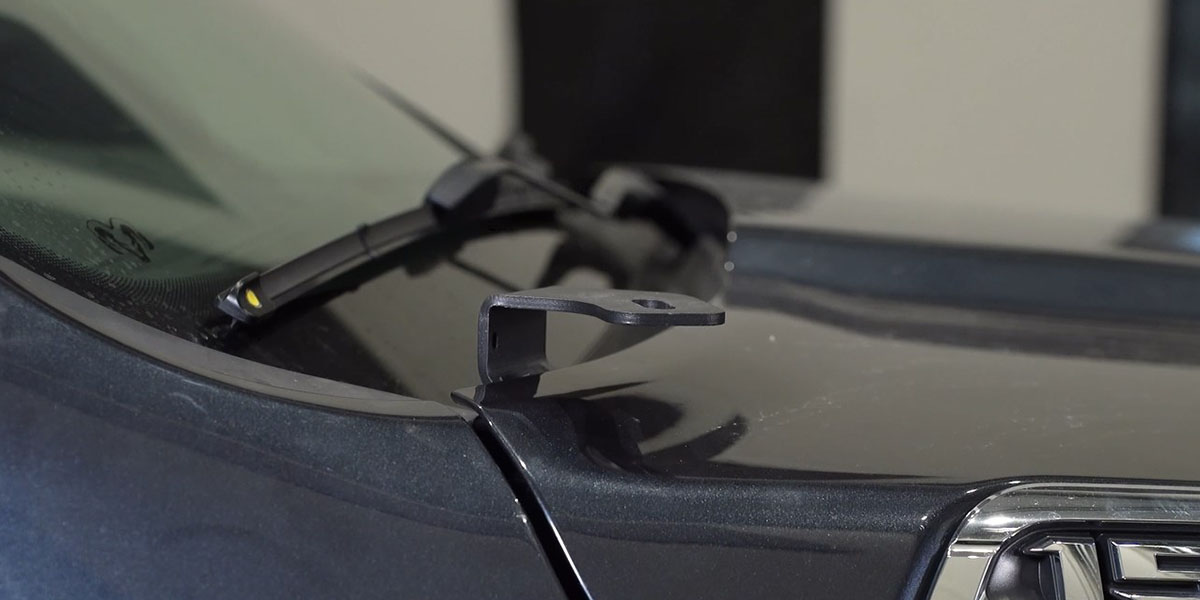
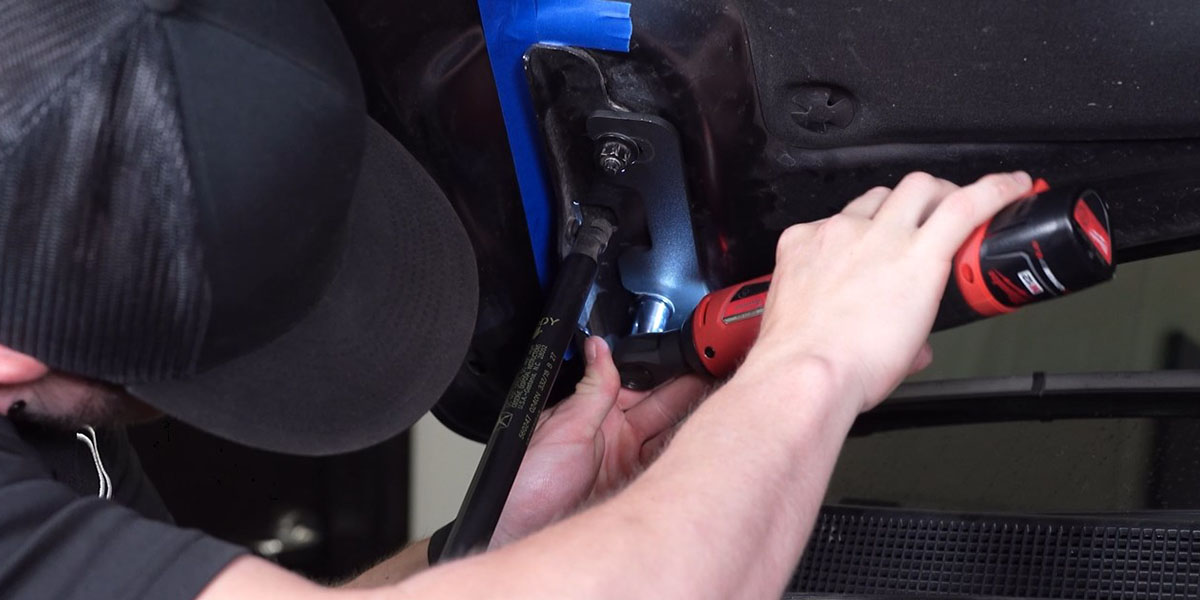
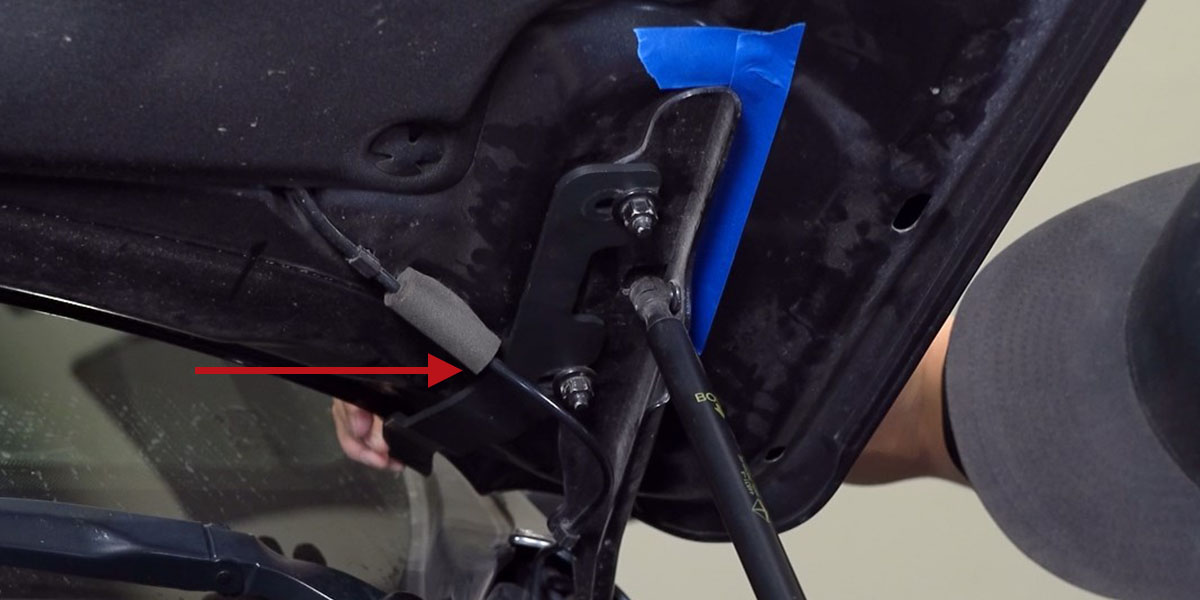
Open the hood and mark the location of the passenger side hood hinge with tape to keep alignment during installation. Using a 13mm socket, loosen (but do not remove) the factory nuts holding the hood to the hinge bracket — loosen enough to slide the ditch light bracket between the bottom of the hinge bracket and the loosened nuts. Slide the bracket marked "RIGHT" onto the upper nut and washer, then rotate it over the lower nut and washer. Hand-tighten so the bracket can be adjusted. Close the hood and adjust the bracket so the windshield wiper does not contact the back of the bracket in any position. Open the hood, tighten both hinge nuts with a 13mm socket, confirm the hood hinge alignment, and remove the tape.
Step 2 — Install Driver's Side Bracket
Repeat the same process for the bracket marked "LEFT" on the driver's side. Make sure to install the bracket between the windshield washer fluid line and the hood.
Step 3 — Mount LED Pods
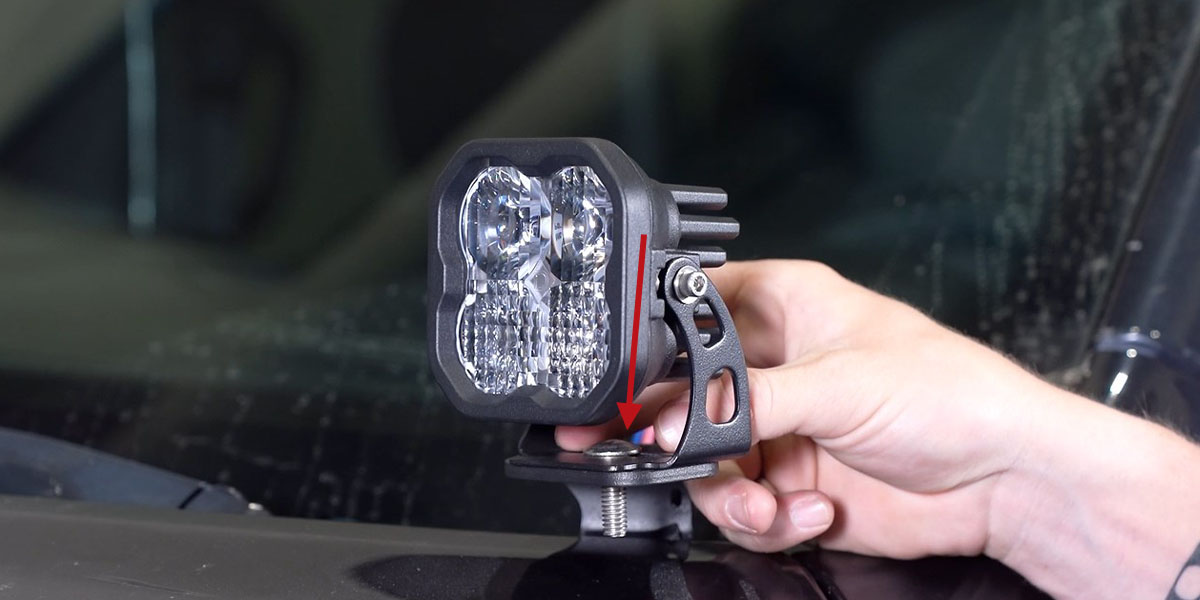
Close the hood and mount your Stage Series LED pods (SS5, SS3, or SSC2) to the ditch light brackets using the included universal mounting hardware.
Wiring Instructions
Step 4 — Route Harness and Connect
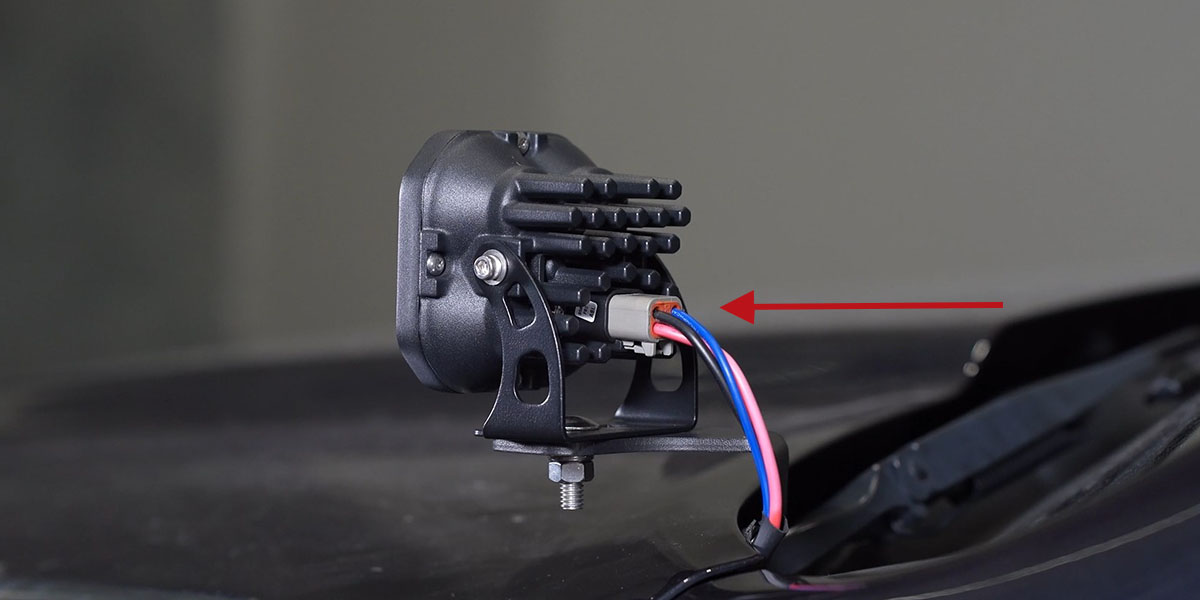
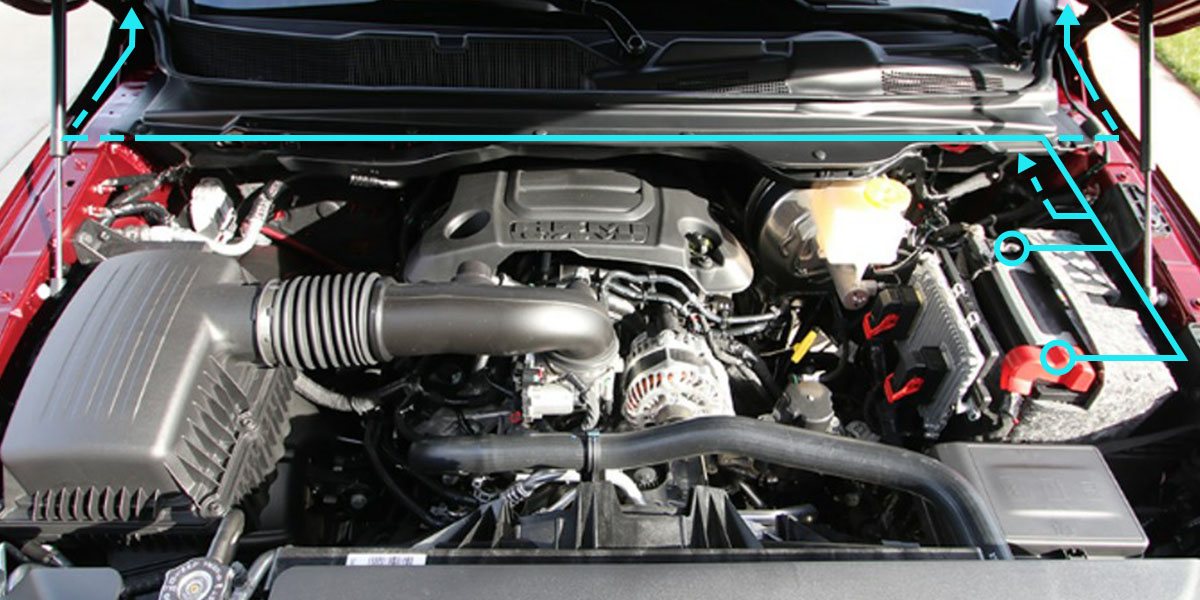
Route the included wiring harness from the battery along the main factory wiring harness underneath the rain catch. For the passenger side, route under the subframe into the fender dead space, then pull the wiring up behind the hood hinge and underneath the cowl to reach the LED pod. For the driver's side, route under the subframe into the fender dead space and up behind the hood hinge to the pod. Connect the DT connectors to the back of the LED pods — use the small cutout on each bracket for wire routing. Secure wiring away from the hood hinge with the included zip ties. Connect the harness to the battery per the included wiring guide.
Step 5 — Aim, Test, and Secure
Aim the LED pods as desired and tighten the hardware using a 5/32" Allen key and a 13mm wrench. Test function, then secure the wiring harness with the included zip ties to complete the installation.
Questions About the Install?
If you run into any issues during the installation, contact Ess K Customs — as an authorized Diode Dynamics dealer, we're here to help.
Shop Ram 1500 Lighting at Ess K Customs
Looking for lighting upgrades for your 2019-2023 Ram 1500? As an authorized Diode Dynamics dealer, Ess K Customs carries genuine products with full manufacturer warranty.
Browse Ram 1500 Ditch Light Kits at Ess K Customs →
This install guide applies to Diode Dynamics SKUs: DD7594-DD7606