

The TRD Pro Grille Lightbar Kit for the 2025–2026 Toyota 4Runner adds powerful forward-facing illumination while maintaining a clean, factory-style appearance. This is a comprehensive install that involves bumper removal and a full grille swap — plan accordingly. Here's the full walkthrough.
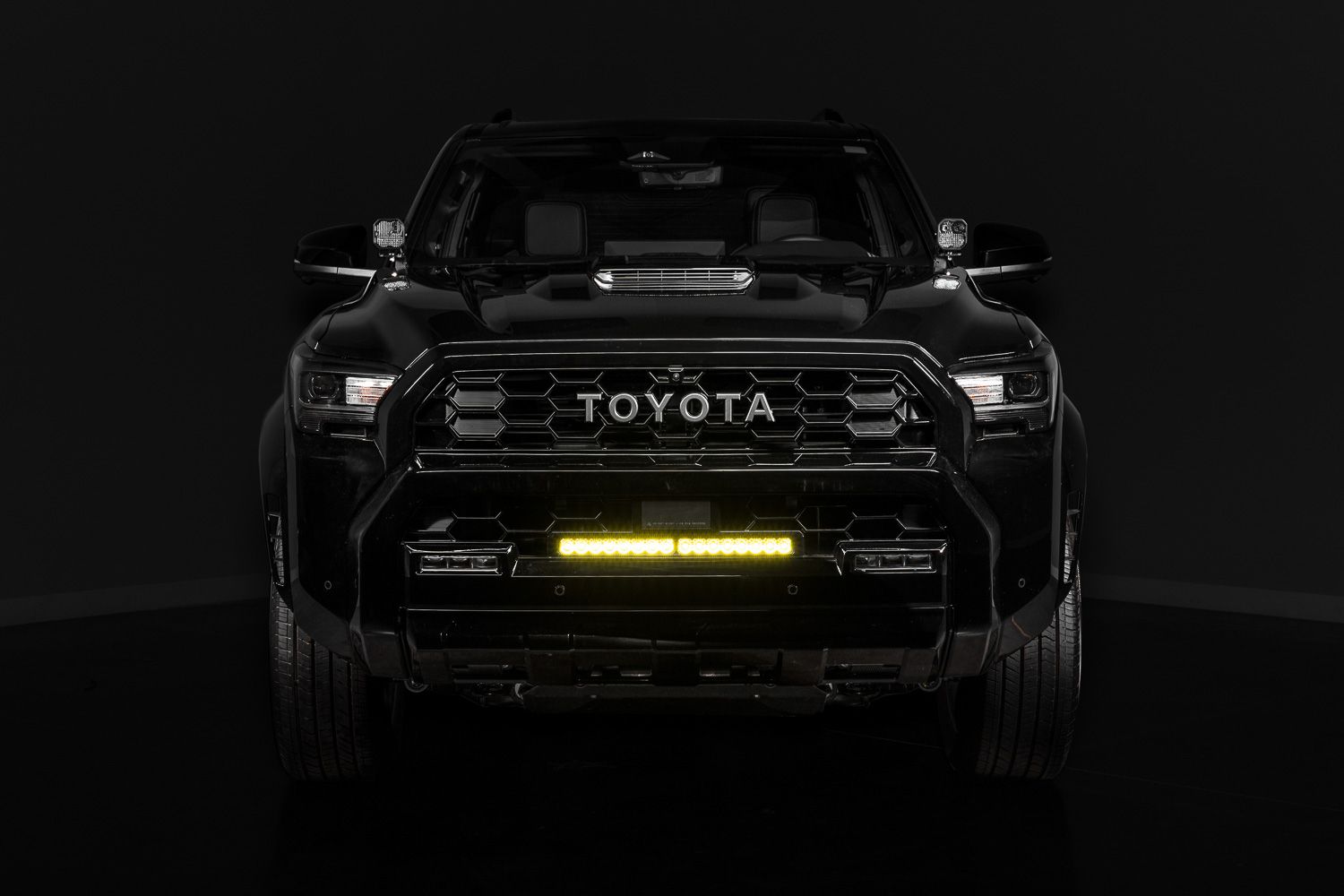
Table of Contents
- Tools Required
- Installation Instructions
- Questions About the Install?
- Shop 4Runner Lighting at Ess K Customs
Tools Required
- 10mm socket
- 12mm socket
- Phillips screwdriver
- Flathead screwdriver
- Plastic trim removal tool
- Pick tool
- T6 Torx driver
- T20 Torx driver
Installation Instructions
Step 1 — Remove the Front Air Dam
Remove the five 10mm bolts from the center of the front air dam. Remove the two 10mm bolts from each wheel well securing the air dam. Depress the two plastic clips in the center and remove the air dam from the vehicle.
Step 2 — Release Fender Liner and Fender Flare
Using a trim tool, release the plastic tabs along the fender flare without removing the push pins. Remove the four 10mm bolts securing the fender liner, then remove the three 10mm bolts underneath the bumper.
Step 3 — Access the Bumper Fasteners
Peel the fender liner back and depress the two plastic clips attaching the lower fender flare to the bumper. Slowly pull the fender flare outward to release the retaining clips and expose the hidden bumper bolt.
Step 4 — Remove the Front Bumper Cover
Remove the exposed 10mm bumper bolt and repeat Steps 1–3 on the opposite side. Remove the seven push clips securing the radiator cover and lift it off. Remove the four push clips securing the air duct and remove it. Remove the three 10mm bolts. Disconnect all electrical connectors near both headlights. Pull the bumper corners outward, lift up on the top tabs, and carefully remove the bumper. Place it on a soft working surface.
Step 5 — Remove Active Shutters and Sensors
Disconnect the grille shutter electrical connector. Remove the six 10mm bolts securing the active grille shutter assembly to the bumper support. Pull the grille shutter assembly away and push the connector out of its retaining clip. Remove the three Phillips screws securing each grille shutter support bracket on both sides. Disconnect all parking sensor connectors, depress the clips holding the headlight garnish, and disconnect the front radar and camera connectors. Remove the Phillips screws securing the radar and camera to the bumper support. Set all components aside safely — they'll be transferred to the new grille.
Step 6 — Separate the Bumper Cover
Depress the plastic clips securing the bumper trim on each side and remove both trim pieces. Remove all Phillips screws securing the bumper support to the bumper cover. Release the plastic clips along the edge, working evenly across the bumper. Separate the lower bumper cover from the bumper support and set it aside.
Step 7 — Remove Factory Grilles
Release the plastic clips securing the lower grille and remove it. Unclip the radar cover from the lower grille and set it aside. Release the clips and remove the upper surround, then remove the upper grille from the bumper support.
Step 8 — Transfer Radar and Camera
Install the factory radar unit onto the new lower grille using the original screws, then snap the radar cover into place. Transfer the front camera to the new camera mount using a T6 Torx driver and reinstall it onto the upper grille.
Step 9 — Install the New Grilles
Snap the new lower grille into the bumper support, followed by the upper grille. Reinstall the upper surround and lower bumper cover by reversing the removal steps.
Step 10 — Route Camera and Shutter Wiring
Connect the camera extension harness and secure it to the top of the grille using adhesive mounts and zip ties, routing toward the driver's side. Reinstall the grille shutter assemblies, ensuring the harness routes underneath the support brackets.
Step 11 — Assemble the Lightbar
Attach the LED lightbar to the mounting bracket using the provided hardware. Tighten all fasteners evenly using a T20 Torx driver.
Step 12 — Route the Lightbar Harness
Route the lightbar extension harness along the top of the bumper assembly, securing it to the bracket and existing factory harnesses using zip ties.
Step 13 — Connect Power and Controls
Route the main harness through the firewall and connect power, ground, and switching according to your vehicle configuration. If equipped with factory auxiliary switches, connect the included adapter.
Step 14 — Reinstall the Bumper Assembly
Hang the bumper back onto the vehicle, reconnect all factory electrical connectors, connect the lightbar harnesses, and reinstall all fasteners by reversing the removal steps.
Step 15 — Aim and Secure the Lightbar
Adjust the lightbar for proper aim, then tighten the mounting hardware using a 10mm deep socket. The install is complete.
Questions About the Install?
If you run into any issues during the installation, contact Ess K Customs — as an authorized Diode Dynamics dealer, we're here to help.
Shop 4Runner Lighting at Ess K Customs
Looking to upgrade your 4Runner's lighting? As an authorized Diode Dynamics dealer, Ess K Customs carries genuine products with full manufacturer warranty.
Browse Toyota 4Runner Lighting at Ess K Customs →
This install guide applies to Diode Dynamics SKUs: DD8731, DD8732, DD8733, DD8734, DD8735, DD8736, DD8737, DD8738, DD8739