

The SS6 LED Fog Light Kit lets you mount a pair of Stage Series 6" LED Light Bars as dedicated fog lights on your 2022-2026 Toyota Tundra or 2023-2026 Sequoia. Massive upgrade over the factory fog lights — and the install is straightforward. Here's how to get it done.
Watch the full install video below, or scroll down for the step-by-step written guide.
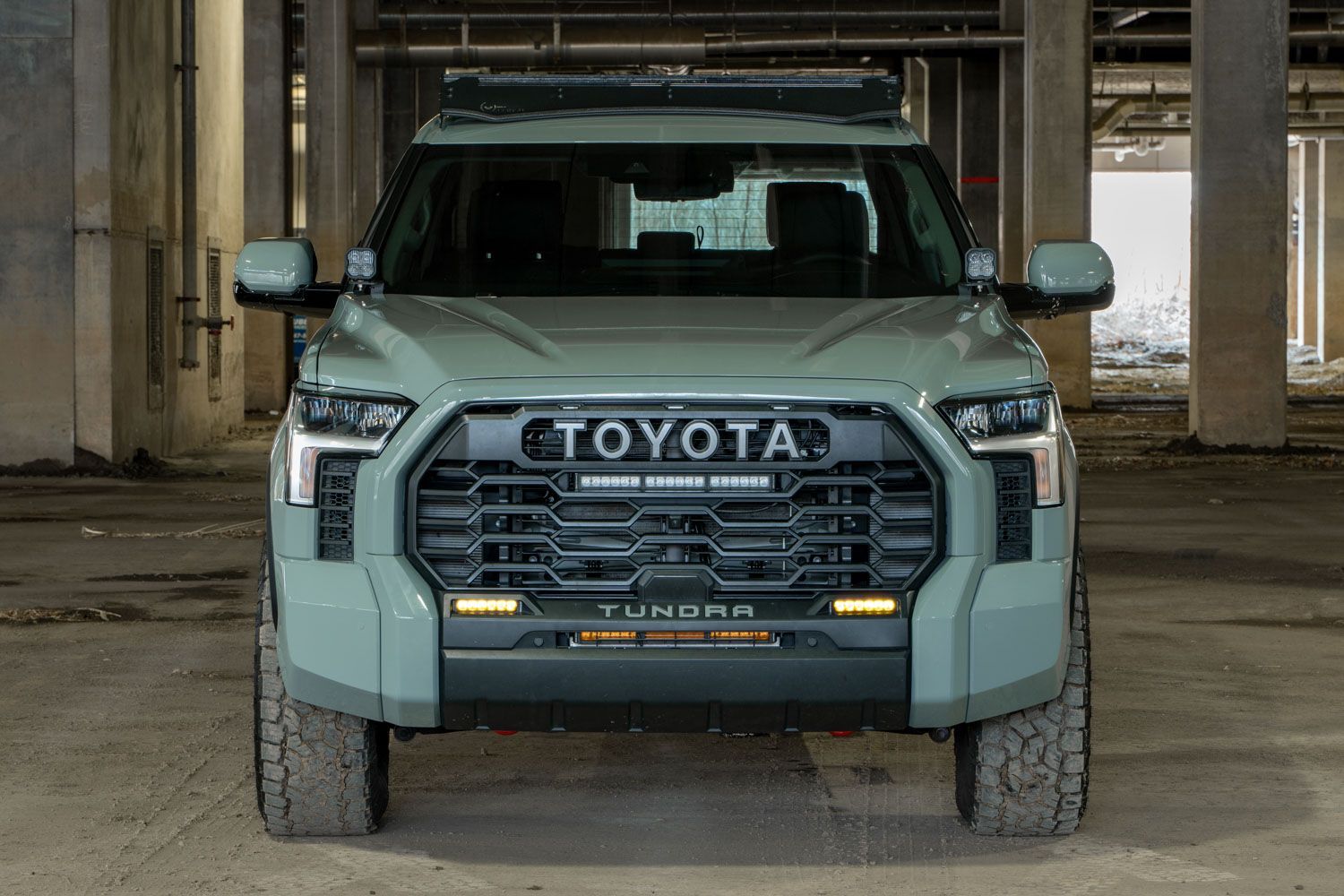
Table of Contents
- Installation Video
- Tools Required
- Mounting Instructions
- Aiming Instructions
- Questions About the Install?
- Shop Tundra/Sequoia Fog Light Kits at Ess K Customs
Installation Video
Tools Required
- Phillips screwdriver
- Phillips screwdriver bit
- Ratchet/extensions
- Plastic trim removal tool
Mounting Instructions
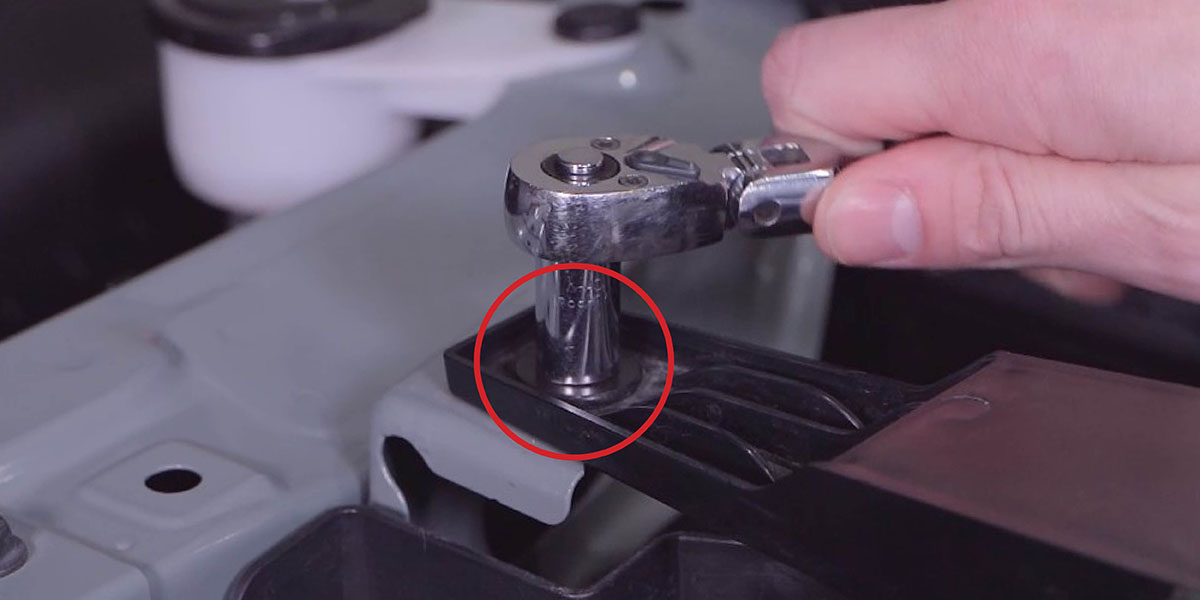
Step 1 — Using a 10mm socket, remove the four bolts from the top of the grille.
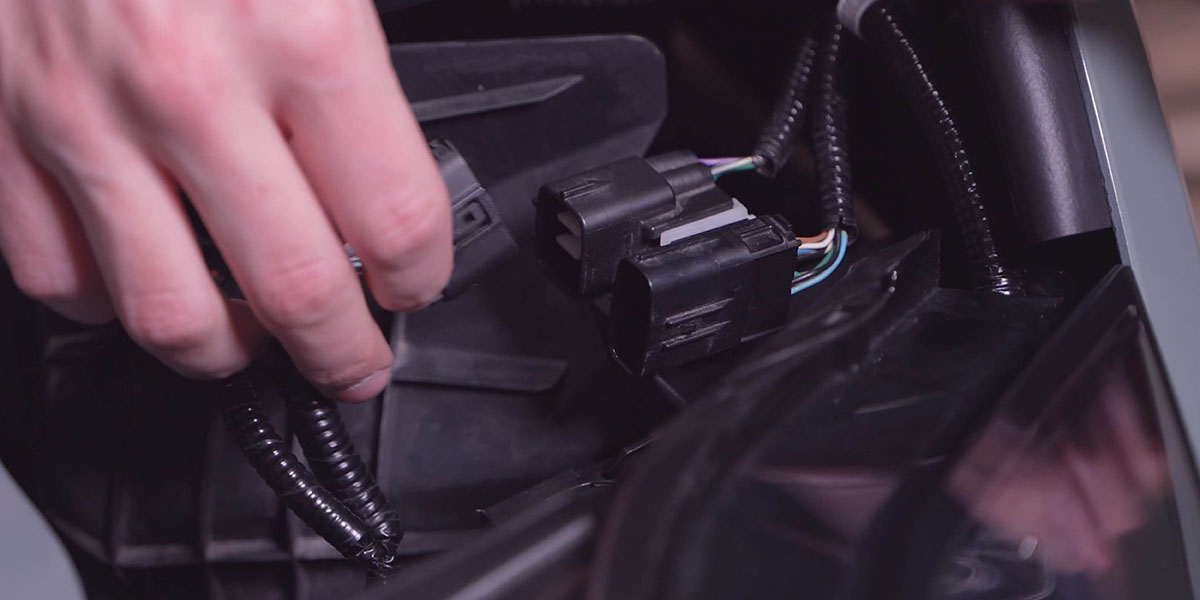
Step 2 — If equipped, disconnect the connectors from both corners of the grille.
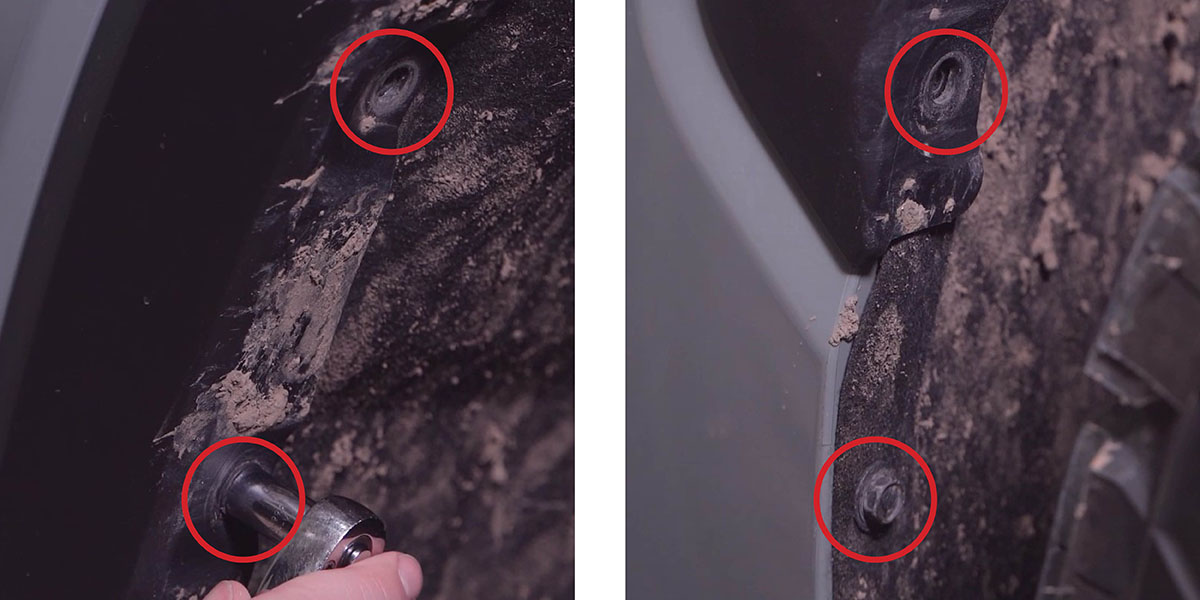
Step 3 — Using a 10mm socket, remove the four screws from inside the wheel well. If your truck has over-fender molding, remove the additional screw from the bottom inside of the wheel well opening. Repeat on the other side.
Step 4 — Remove the four 10mm bolts from underneath the bumper. If your truck doesn't have a front spoiler, there will be four screws underneath the bumper to remove as well.
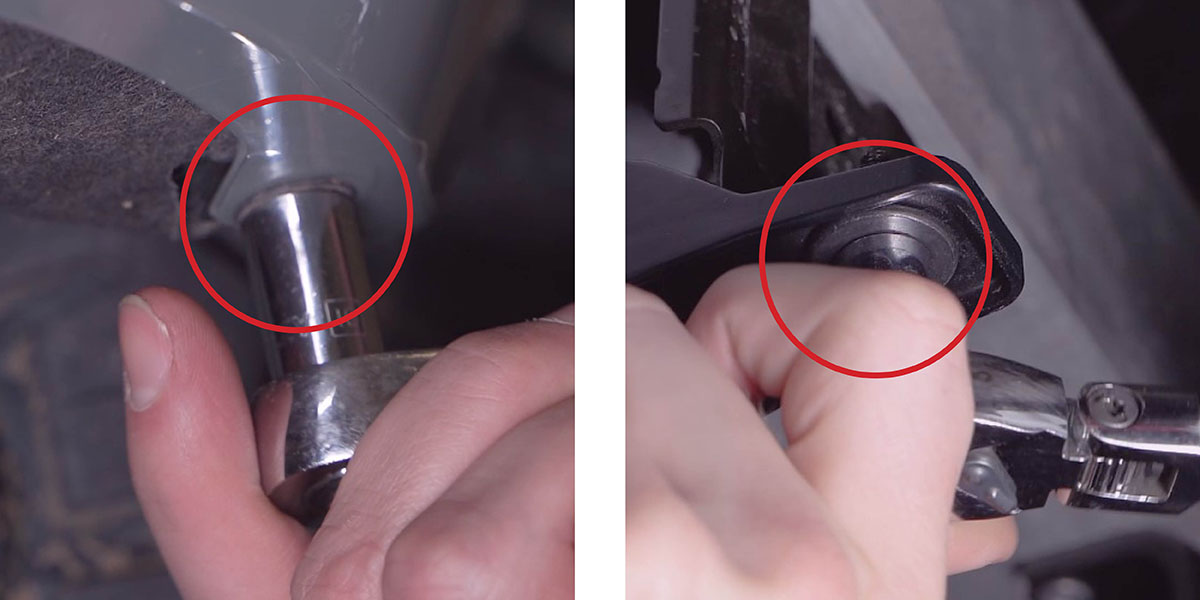
Step 5 — Pull out on both sides to release the clips holding the grille in place, then pull the front grille/bumper assembly straight forward to remove it.
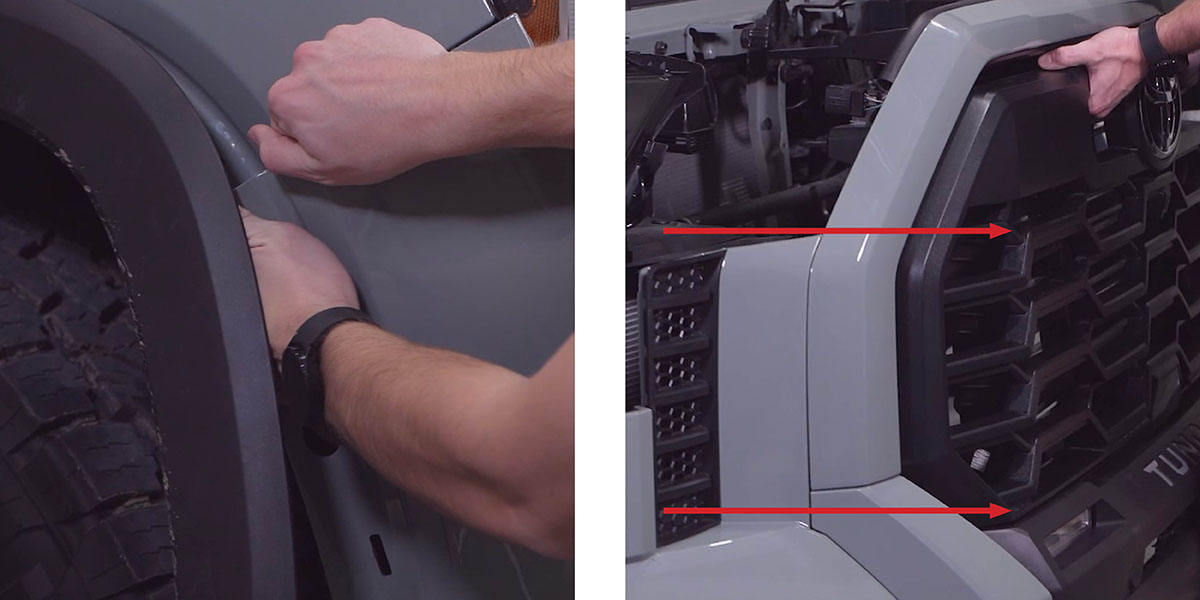
Step 6 — Using a Phillips screwdriver, remove the six screws securing each corner bumper panel. Then remove the two screws on top of the grille.
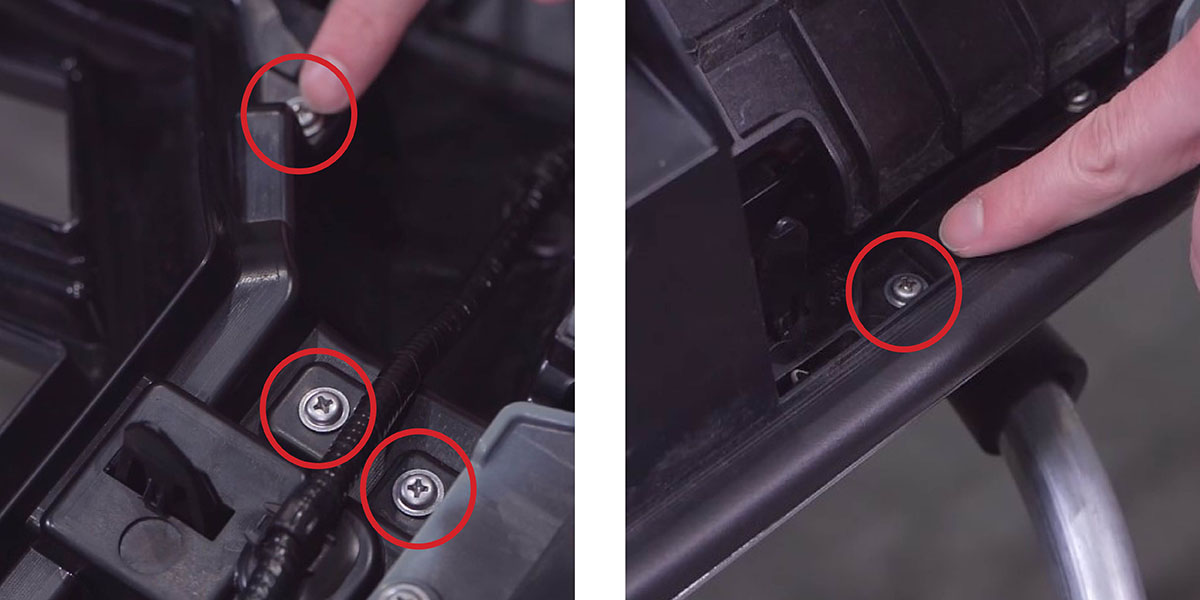
Step 7 — Using a plastic trim removal tool, push through the ten tabs securing the upper grille surround.
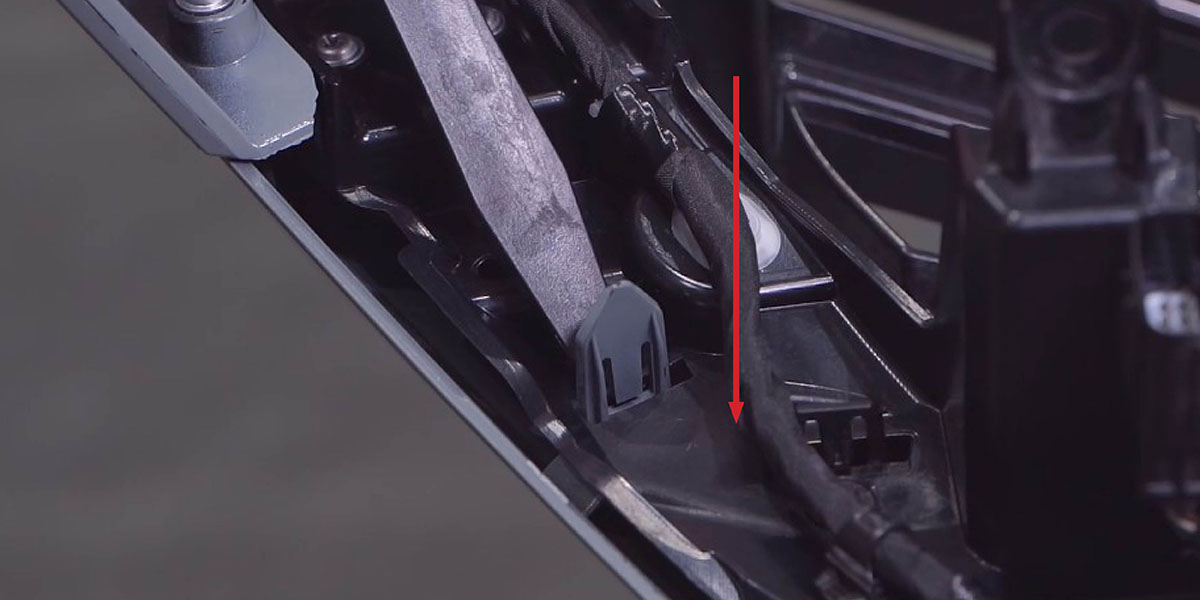
Step 8 — Remove the corner bumper panels by pushing through the seven tabs securing them in place.
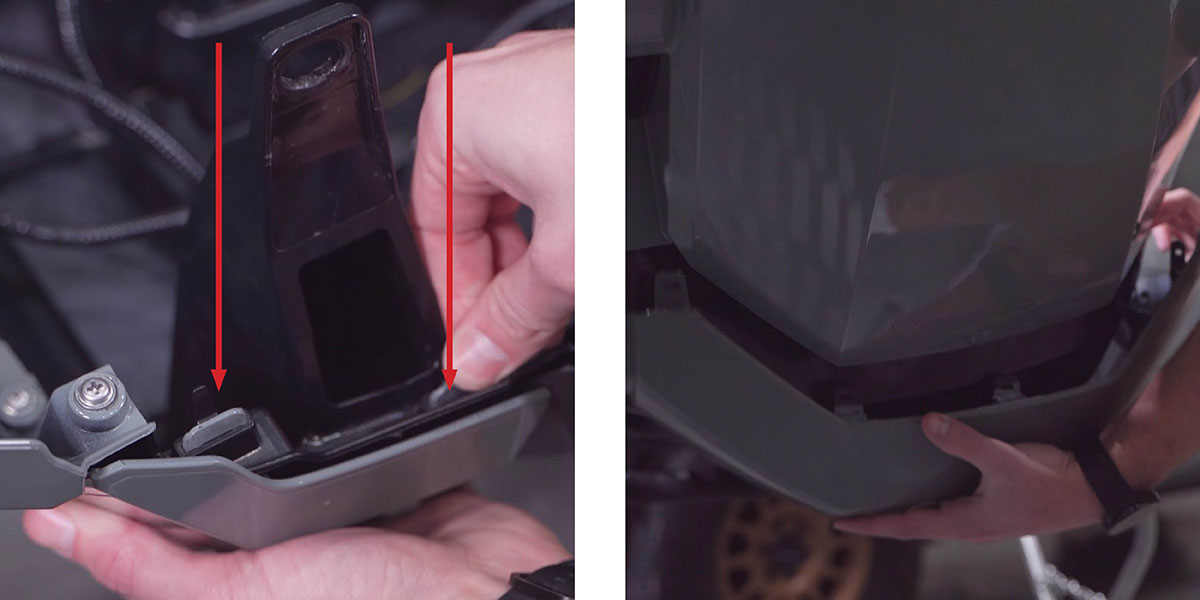
Step 9 — Using a plastic trim removal tool, remove the front bumper molding by releasing the clips and pulling outward.
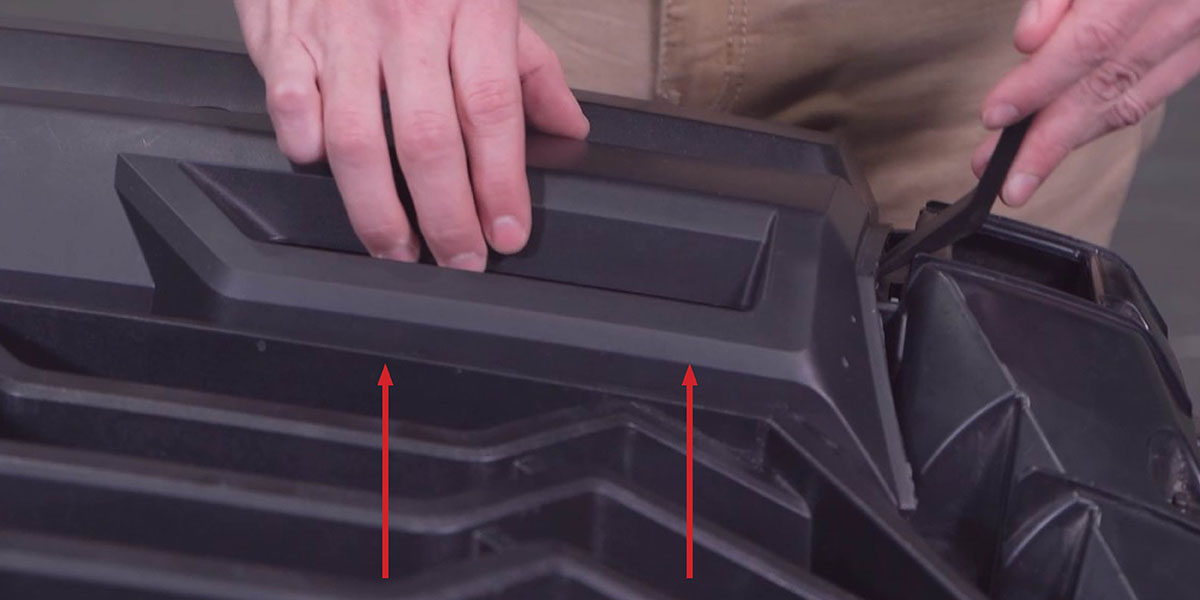
Step 10 — Using a Phillips screwdriver, remove the two screws securing each factory fog light. Remove the fog light and unplug the factory connector. Repeat on the other side.
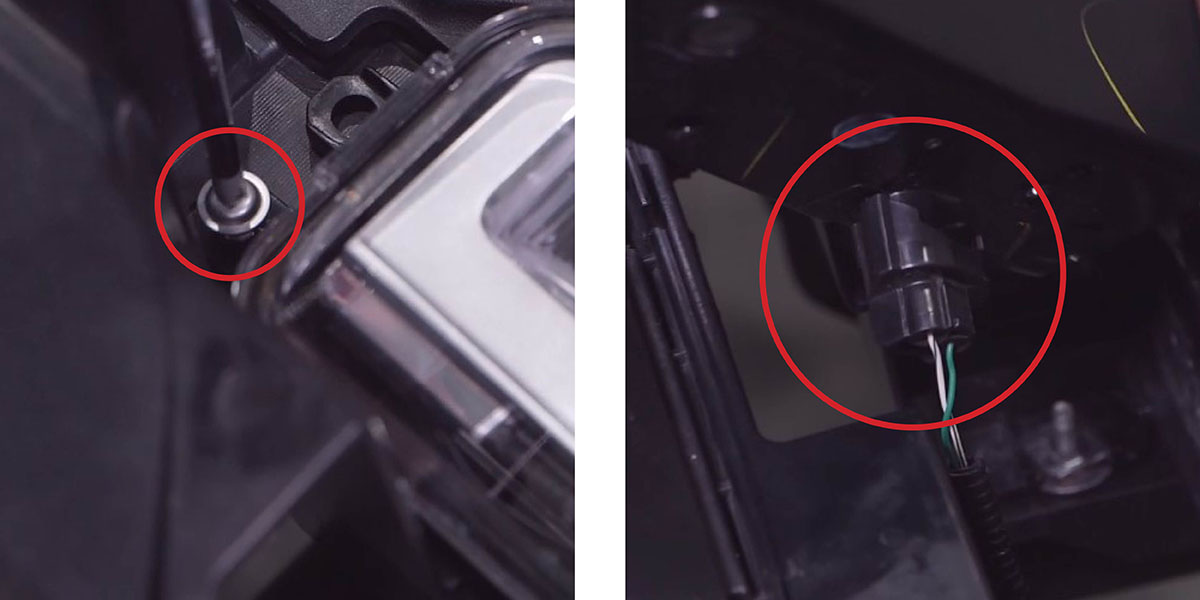
Step 11 — Install the four included fog light brackets onto the sides of your new Stage Series 6" light bars using the included hardware.
New Stage Series Lightbars — Mounting Adapter Bracket: If your kit includes a mounting adapter bracket, install it onto the lightbar before attaching it to the main brackets. Install the included set screws in the center mounting position on both sides of the lightbar. Then attach the adapter using the included Torx screws in the top and bottom mounting holes. Once the adapter is secured, use the supplied hex bolt to mount the lightbar to the main bracket as normal.
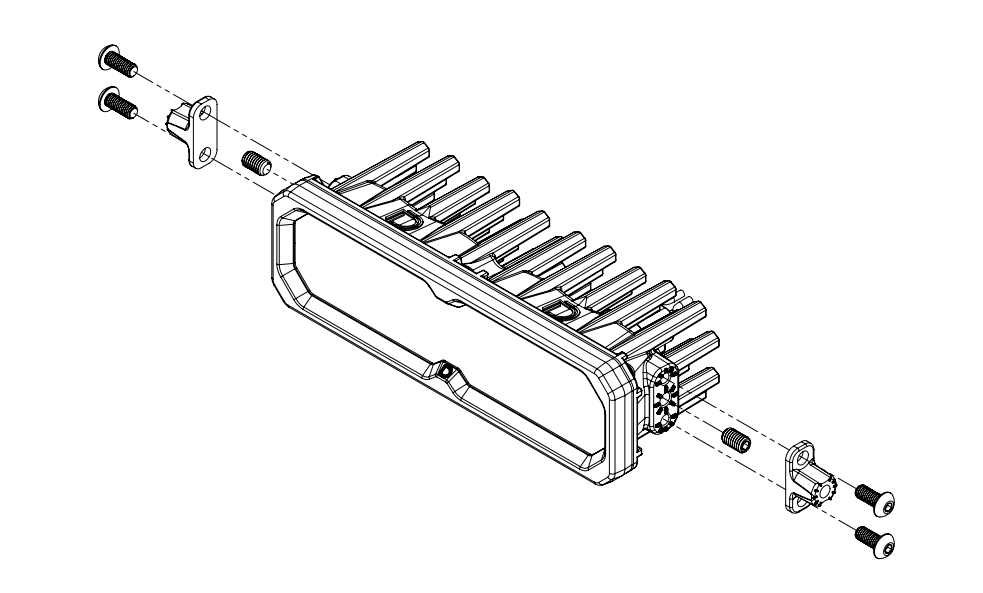
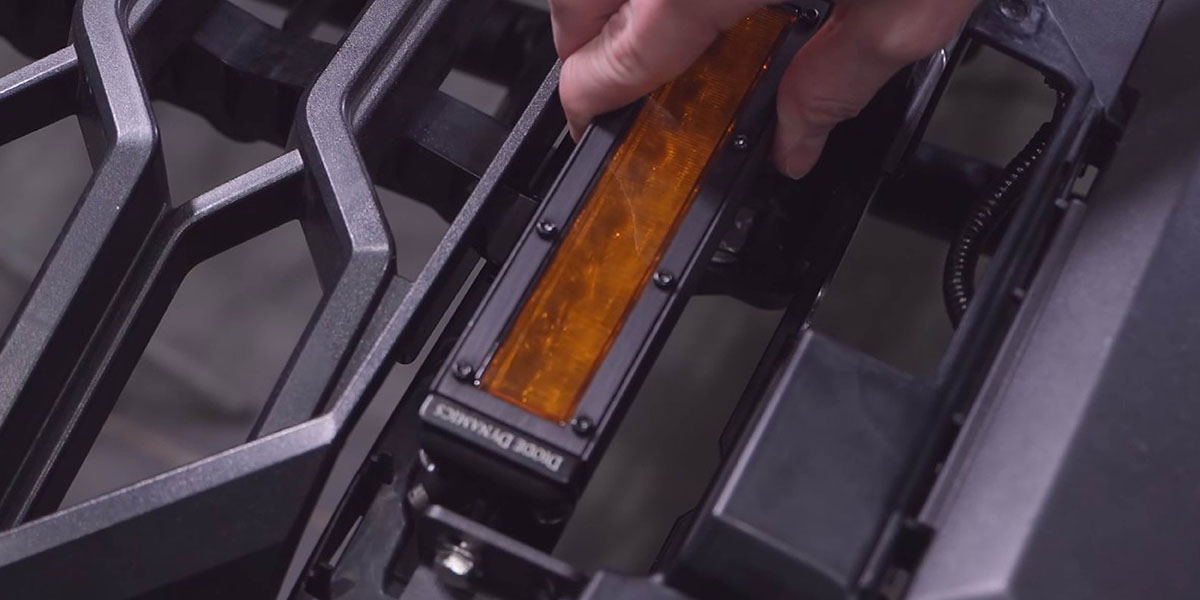
Step 12 — Install the new light bar and bracket assembly into the factory fog light location using the factory screws. Repeat on the other side.
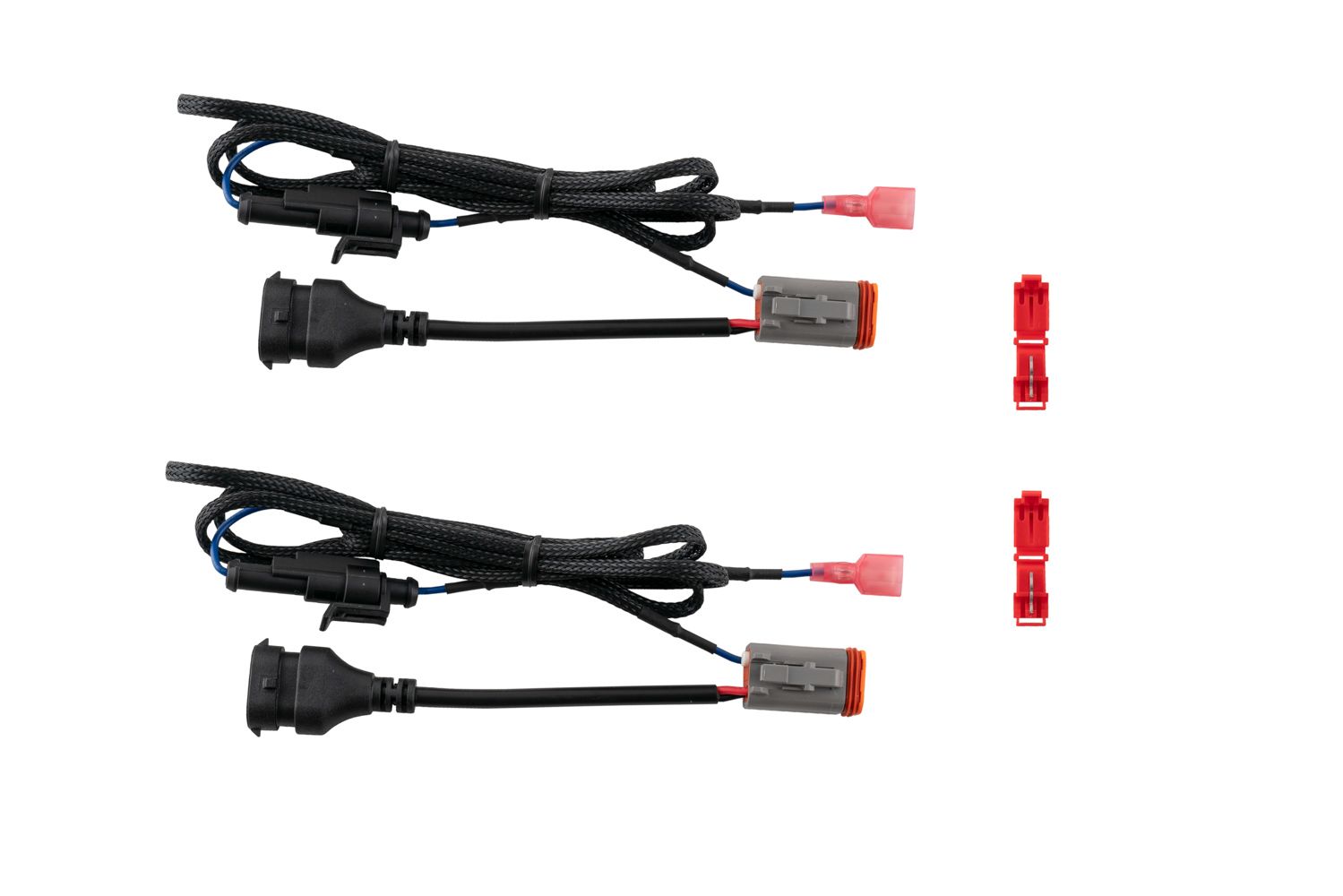
Step 13 — Use the included adapter wire to connect each light bar to the vehicle harness on each side.
Connect Backlight Wire (Optional): New Stage Series Light Bars feature an integrated amber backlight that illuminates the TIR optic, creating a distinctive accent look while improving visibility when parked or stopped on the trail. If your light bar has the backlight function, connect the blue wire with the red male spade connector to a fused 12V source. The parking light or sidemarker circuit is commonly used so the backlight activates with your vehicle's exterior lighting.
Use the included T-taps to make the connection: position the T-tap over the selected wire, use needle-nose pliers to fully seat and crimp the tap, and insert the red male spade connector until secure.
NOTE: The power source must be fused. Do not connect the backlight wire directly to the vehicle battery.
Step 14 — Bring the bumper assembly back to the vehicle to test and aim. Snap each end into the fender clips and reinstall the four 10mm bolts along the top of the grille. Plug in the two connectors at each corner if equipped.
Step 15 — Test the lights. If either light doesn't turn on, try flipping the connector 180° where it plugs into the vehicle harness. Aim the lights as shown in the aiming section below, then tighten the bolts to lock the lightbars in place.
Step 16 — Remove the grille/bumper assembly one more time, then reinstall everything by reversing Steps 1–9 to resecure all assembly panels.
Aiming Instructions
Step 17 — Park your vehicle 25 feet away from a wall or garage door on a level surface.
Step 18 — Loosen the M6 bolts on each side of the SS6 lightbar just enough to allow adjustment.
Step 19 — Measure the distance from the ground to the center of the SS6 lightbar on your vehicle. This is your mounting height.
Step 20 — Mark the mounting height on the wall or garage door using tape.
Step 21 — Add another piece of tape four inches below the mounting height mark. This is your fog light cut-off line.
Step 22 — Aim each SS6 lightbar so the top of the beam pattern sits on the cut-off line.
Step 23 — Tighten the M6 bolts to lock in the aim. Do not overtighten or use power tools.
Questions About the Install?
If you run into any issues during the installation, contact Ess K Customs — as an authorized Diode Dynamics dealer, we're here to help.
Shop Tundra/Sequoia Fog Light Kits at Ess K Customs
Ready to upgrade your Tundra or Sequoia with an SS6 LED Fog Light Kit? As an authorized Diode Dynamics dealer, Ess K Customs carries genuine products with full manufacturer warranty.
Shop SS6 LED Fog Light Kit for 2022-2026 Toyota Tundra →
This install guide applies to Diode Dynamics SKUs: DD7418, DD7419, DD8702, DD8581, DD8583, DD8703, DD8582, DD8584