

The Diode Dynamics Kuat DEK Roof Rack integrates powerful lighting into the modular Kuat DEK roof rack system. This guide walks through the full installation — from rack assembly to lighting wiring — so you can get everything mounted and operational.
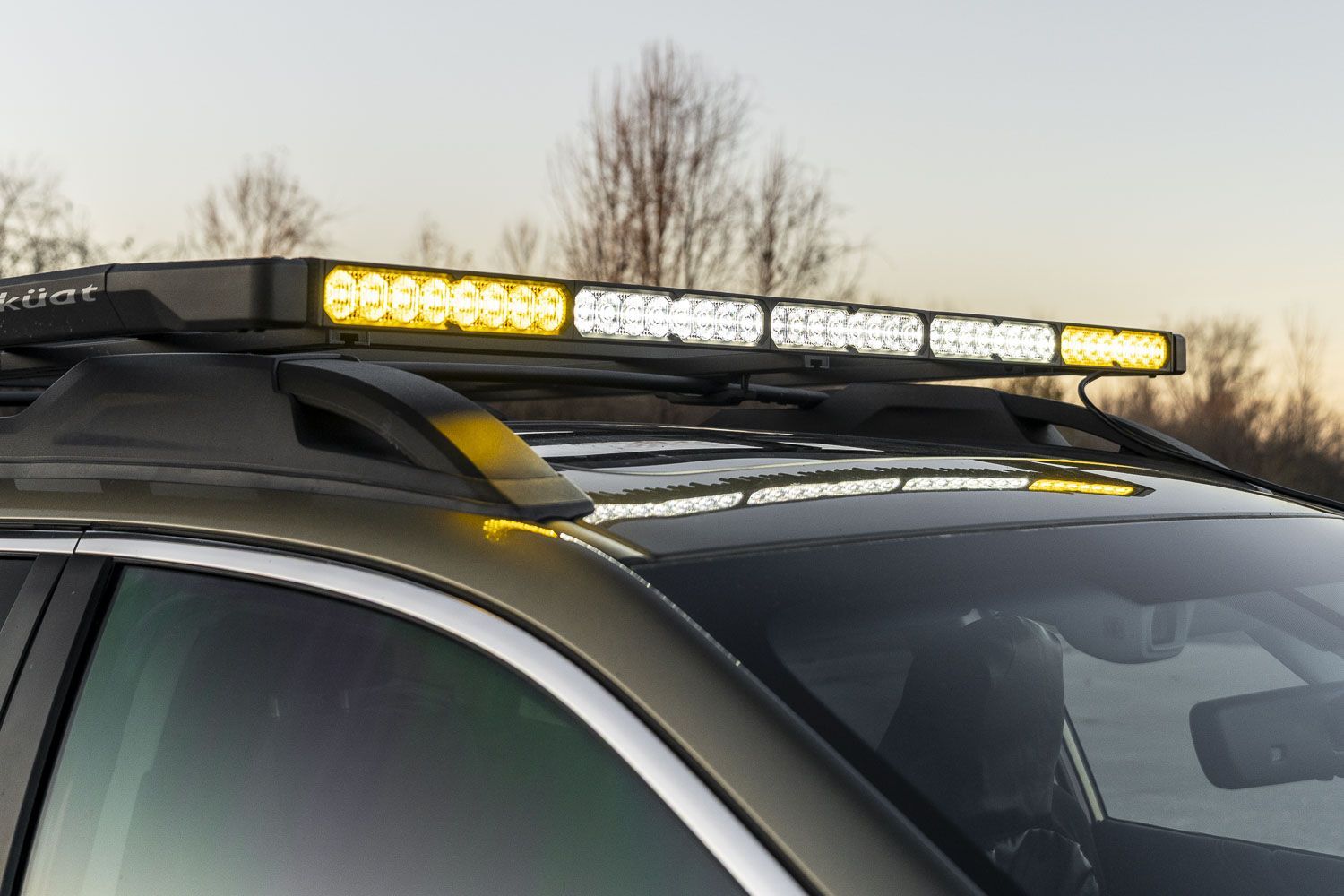
Table of Contents
- Kuat DEK Roof Rack Installation
- Tools Required
- Lighting Installation
- Wiring
- Questions About the Install?
- Shop Stage Series Lighting at Ess K Customs
Kuat DEK Roof Rack Installation
Before installing the lighting components, the Kuat DEK roof rack must be fully assembled and mounted to your vehicle. Follow Kuat's official installation guide for your specific mounting configuration:
Once the roof rack is fully installed, continue with the lighting installation below.
Tools Required
- 4mm Allen key
- 5mm Allen key
- 10mm wrench
- T20 Torx driver (lightbar applications only)
Lighting Installation
Step 1 — Using a 5mm Allen key, follow the Kuat instructions to install the corner caps onto the DEK side rails. The specific corner caps depend on the lighting configuration included with your kit.
Step 2 — Using a 4mm Allen key, loosely install the L-brackets to the corner caps using the included washers and screws. Leave the hardware loose to allow adjustment during light installation.
Step 3 (CrossLink Pods) — If your kit includes SS5 CrossLink pods, assemble them according to your desired appearance. Pods can be positioned in the first or second notch for a straight or slightly curved look. Daisy-chain each pod using the Link Wire Harnesses, starting at one end. There should be one less Link Wire Harness than the total number of pods. When finished, one open connector should remain at one end for the main wiring harness.
NOTE: You'll have CrossLink Splitters and a single Terminating Splitter. Use CrossLink Splitters for all but one connection — the Terminating Splitter connects the two SS5 pods on the opposite end from the wiring harness.
Step 4 — Using a 10mm wrench, install the CrossLink assembly or Stage Series lightbar onto the L-brackets. Once the lights are positioned correctly, tighten the L-bracket hardware from previous steps.
Step 5 (Lightbar Applications Only) — For SS40 and SS50 lightbar applications, wind deflectors are included to reduce vibration and wind noise. Using a T20 Torx driver, remove the bottom three screws on the back of each 10-inch lightbar segment, install the deflector, and secure with the provided longer screws. Tighten to 10–15 in-lbs.
Step 6 (SS5 Applications Only) — Clean the roof surface where the CrossLink support bumpers will contact the vehicle. Apply the included paint protection film to these areas. If included, install the mounting clip onto one of the corner caps to secure the wiring connector.
Wiring
Step 7 — Install the provided wire hider along either the driver-side or passenger-side windshield to route the wiring cleanly down into the engine bay.
Step 8 — Route the harness to the battery, avoiding areas with excessive heat or moving parts. Follow the path of the vehicle manufacturer's existing wiring harness when possible. Connect the split ring terminals to the battery — black (ground) to the negative terminal, red (power) to the positive terminal.
Determine a suitable location for the switch and route the switch wiring accordingly (this may require going through the firewall). Unplug the toggle switch from the harness to route wires more easily, then reconnect and mount the switch. Once powered, verify proper operation of all installed lights. The install is complete.
Questions About the Install?
If you run into any issues during the installation, contact Ess K Customs — as an authorized Diode Dynamics dealer, we're here to help.
Shop Stage Series Lighting at Ess K Customs
Looking for Stage Series lighting for your build? As an authorized Diode Dynamics dealer, Ess K Customs carries genuine products with full manufacturer warranty.
Browse Stage Series LED Light Bars at Ess K Customs →
This install guide applies to Diode Dynamics Kuat DEK Roof Rack SKUs: DD8490–DD8519