

The Stage Series LED Grille Kit for the 2022-2024 Honda Talon mounts SS3 LED pods directly into your factory grille for a clean, integrated look with serious off-road performance. This is a direct-fit kit that seamlessly installs behind the factory grille. Here's the full walkthrough.
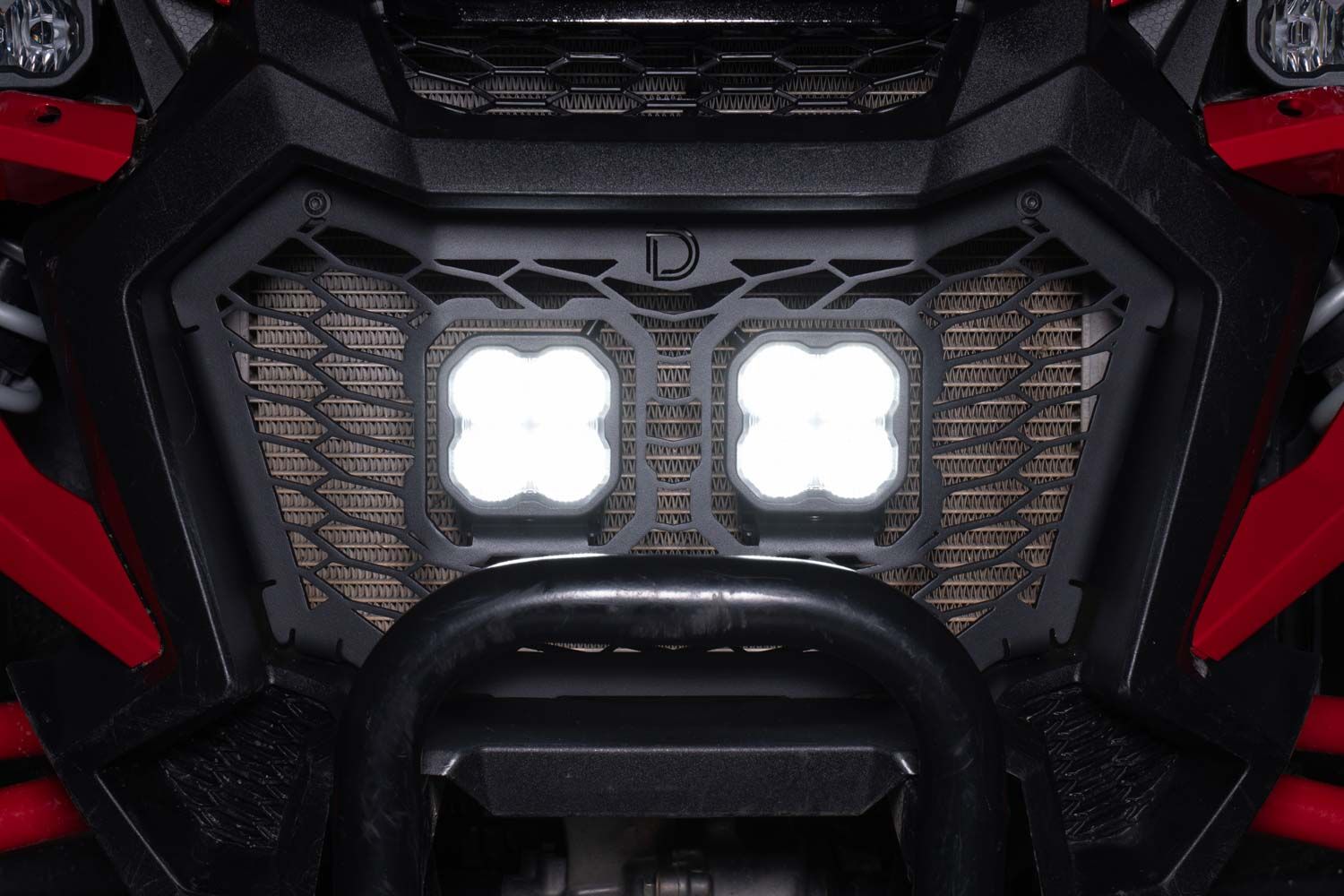
Table of Contents
- Installation Video
- Tools Required
- Installation Instructions
- Questions About the Install?
- Shop Honda Talon Lighting at Ess K Customs
Installation Video
Tools Required
- Flathead screwdriver
- Trim removal tool
- 10mm socket and wrench
- 5mm Allen wrench
- 4mm Allen wrench
- Phillips head screwdriver
- Zip ties
Installation Instructions
Step 1 — Remove the Hood and Front Components
Twist the hood latches and lift up on the corners to remove the hood. Disconnect the headlight harness by pressing the locking clip and pulling the connector away.
Step 2 — Remove the Cowl and Bumper
At the cowl, remove four plastic clips, four 10mm bolts, and five 5mm Allen bolts. Set the cowl aside. Use a 10mm socket to remove four bolts securing the headlights. Remove the outer plastic clip and 5mm bolt from each headlight shroud, plus two additional plastic clips. Remove the 10mm side bumper bolt and two skid plate clips. Lift up on the fenders and pull the bumper forward to remove it.
Step 3 — Assemble the Stage Series Pods and Grille Bracket
Attach the included bracket to each SS3 LED pod using the supplied hardware. Secure the pod to the bracket by dropping in the carriage bolt, then tightening the washers, lock washers, and nuts with a 13mm wrench. Repeat for the other pod.
Step 4 — Install the Grille Bracket
Pull firmly on the corners of the factory grille to release the ball clips and remove it. Align the bottom tabs of the Stage Series bracket with the slots on the bumper and set it in place. Install the provided bolts and nuts in the two top holes of the grille, leaving them hand-tight. Flip the bumper over and use a Phillips screwdriver to install the eight self-tapping screws.
Step 5 — Wiring and Temporary Assembly
Plug the included DT splitter into the back of each SS3 pod. Temporarily reattach the bumper, making sure the DT splitter is routed near the top of the radiator.
Step 6 — Connect the Wiring Harness
Remove the driver's and passenger's seat bottoms. Route the wiring through the firewall, avoiding hot or moving parts. Connect the positive and negative leads at the battery.
Step 7 — Test and Reassemble
Turn on the lights to test functionality. Secure any loose wiring with zip ties. Reinstall the bumper, grille, and interior components. The install is complete.
Questions About the Install?
If you run into any issues during the installation, contact Ess K Customs — as an authorized Diode Dynamics dealer, we're here to help.
Shop Honda Talon Lighting at Ess K Customs
Looking for lighting upgrades for your Honda Talon? As an authorized Diode Dynamics dealer, Ess K Customs carries genuine products with full manufacturer warranty.
Browse Honda Talon Lighting at Ess K Customs →
This install guide applies to Diode Dynamics SKUs: DD7898, DD7899, DD7900, DD7901, DD7902, DD7903, DD7904, DD7905, DD7906